Social Media Video Production Tips That Actually Work
Social Media Video Production Tips That Actually Work
Social media video production tips are practical techniques for planning, shooting, editing, and optimizing short-form video so it holds attention on feed-based platforms. These tips differ from broadcast or film advice because the rules of attention are completely different.
Key Takeaways
- Strategy before camera: Define your goal, audience, and message before you press record. Every strong video starts on paper.
- Hook in the first two seconds: Open with a compelling image that makes viewers ask, “What’s happening here?” Scrollers decide instantly.
- Edit for retention: Introduce a new visual event every five seconds. Jump cuts, zooms, and motion keep viewers from swiping away.
- Phone-first is fine: A smartphone, tripod, and natural light outperform expensive gear used without technique.
- Platform specs are non-negotiable: YouTube Shorts cap at 60 seconds; Instagram Reels should stay under 90 seconds. Plan for these before you shoot.
- Social SEO moves the needle: According to Hootsuite, TikTok and YouTube algorithms behave like search engines. Keyword research belongs in your video strategy.
According to Rev, viewers remember 95% of a message delivered in video form compared to just 10% when the same message appears as text. That gap explains why brands, creators, and production teams have shifted so much energy into short-form content. But the production logic that works for film and broadcast does not translate cleanly to a 9:16 feed. The production tips below synthesize guidance from Hootsuite, Adobe, Worcester State, and working editors to help you plan, shoot, edit, and optimize video that actually holds attention.
Why Social Media Video Production Tips Are Different
The Shift from Cinematic to Retention Editing
Social media video production is the process of planning, capturing, editing, and optimizing short-form video specifically for feed-based platforms. The core difference is attention philosophy. As Quora contributor FeverIndex puts it: “A social media editor cuts out every natural breath to stop you from swiping. A professional film editor uses five seconds of dead air to make you hold yours.” That contrast is not stylistic preference. It is a response to how platforms rank and distribute content. Watch time, completion rate, and engagement are the currencies that determine reach.
Martin Turner, an occasional videographer with over two decades of experience, makes the rhythm concrete: on traditional video, a shot length runs 15 to 30 seconds; social media editing typically has a new thing happening every five seconds. Because many creators use only one camera, jump cuts become the default way to maintain that pace. The principle is simple: if nothing changes visually, viewers leave.
The Phone-First Reality
Creating engaging videos for social media does not require professional videography skills or expensive equipment. Worcester State’s video guide makes this explicit: with just a smartphone and some simple techniques, you can produce high-quality videos. The barrier to entry is now low, but the bar for attention is high. That asymmetry is exactly why the best this type of tips emphasize technique over gear. A smartphone, a tripod, and a window can outperform a cinema camera in the hands of someone who ignores retention and platform context.
“The more refined your concept is, the better your viewership will be. Having a goal or a destination for your video will help it find the right audience.” – Lisa Bolden, professional videographer, Adobe
Pros and Cons of DIY Social Media Video Production
Pros
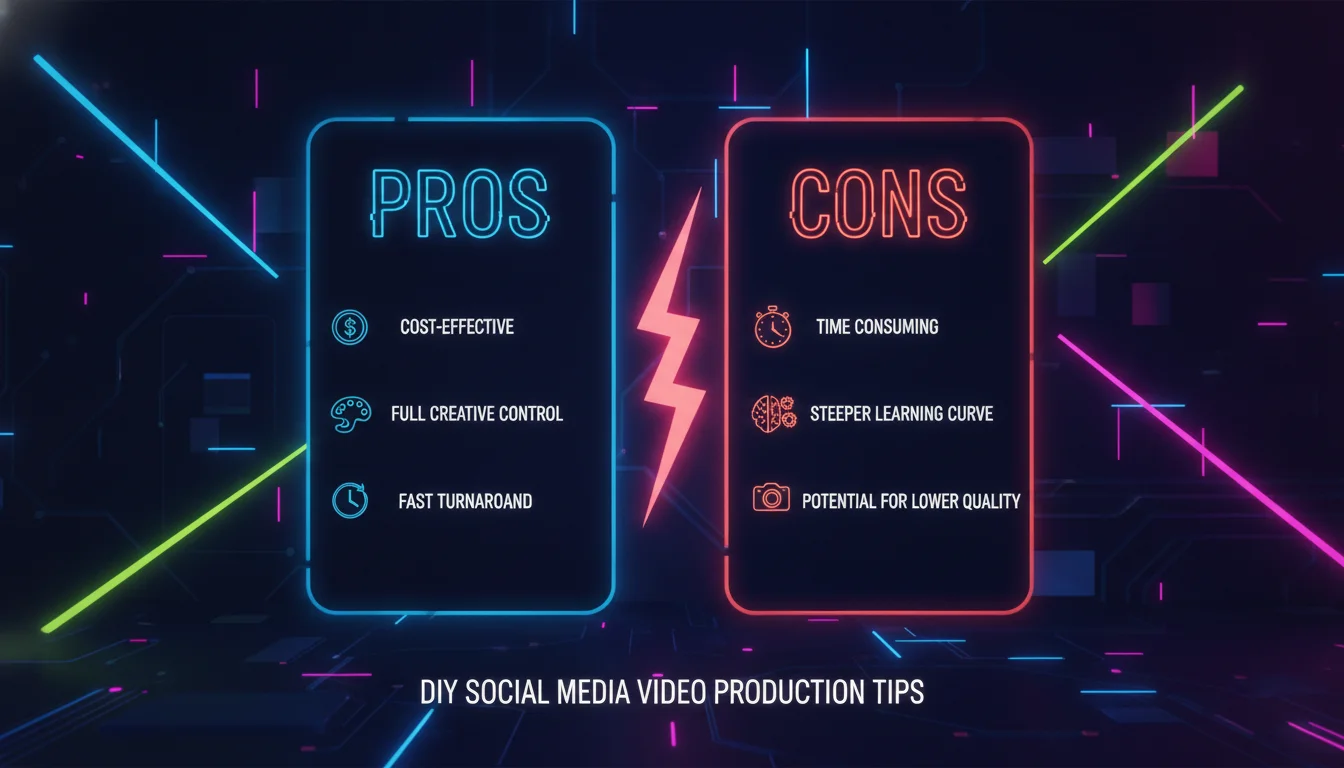
- Low barrier to entry: A smartphone, tripod, and natural light are genuinely enough to produce scroll-stopping content when technique is solid.
- Speed and agility: In-house production lets you react to trends, cultural moments, and platform algorithm shifts in hours, not weeks.
- Authentic brand voice: Audiences respond to raw, real content. Polished-but-stiff corporate video often underperforms lo-fi but genuine storytelling.
- Cost efficiency: Affordable tools like Descript for audio cleanup and free editing apps mean professional-quality output is accessible at almost any budget.
- Iterative learning: Producing video consistently builds an internal feedback loop. You learn what hooks, lengths, and formats work for your specific audience faster than any agency can.
Cons
- Skill ceiling is real: Retention editing, color grading, motion graphics, and platform optimization are each their own discipline. Doing all five well takes time to develop.
- Consistency is hard: Without a content calendar and production system, output becomes sporadic, and algorithms punish inconsistency.
- Audio is the silent killer: Bad sound destroys credibility faster than bad visuals. Built-in phone microphones in noisy environments are a common and avoidable mistake.
- Platform fragmentation: Each platform has different aspect ratios, length limits, and algorithm behaviors. Managing all of them without a system leads to reformatted-afterthought content that never performs.
The Retention Blueprint: Hooking Viewers in Seconds
The First Two Seconds Decide Everything
Social media has its own opening grammar, and the first frame is the whole argument. Jeff Cochran, a video producer and Quora contributor, recommends starting with a compelling image and allowing that image to stay on screen for a couple of seconds. That gives a scroller time to stop and ask, “What’s happening here?” The best opening image creates a micro-mystery. Hootsuite’s guidance reinforces this: storytelling is key, and the narrative should be clear from the first frame. A strong hook is not optional. It is the difference between a view and a swipe.
The 5-Second Visual Rhythm
Retention editing is a social media editing style where a new visual event, movement, zoom, or cut occurs roughly every five seconds to prevent scrolling. This rhythm appears consistently across expert discussions. Martin Turner notes that social media editors often use jump cuts, deleting unwanted footage so the presenter appears to flick across the screen. Every production decision should serve that rhythm. If a shot is not doing something new, cut it.
Short and Sweet by Platform
Length is one of the most concrete this kind of production tips you can apply immediately. Worcester State advises aiming for videos between 30 seconds and 2 minutes because social media users have short attention spans. The same guide specifies platform constraints: YouTube Shorts must be 60 seconds or shorter, while Instagram Reels should be under 90 seconds. Jeff Cochran suggests keeping video to two to three minutes, shorter if possible. The takeaway is not to maximize length but to respect the platform’s implicit promise of brevity.
| Platform or Format | Recommended Maximum Length | Source / Note |
|---|---|---|
| General social video | 30 seconds to 2 minutes | Worcester State |
| YouTube Shorts | 60 seconds or shorter | Worcester State |
| Instagram Reels | Under 90 seconds | Worcester State |
| Social video (general) | 2 to 3 minutes, shorter if possible | Jeff Cochran, Quora |
Pre-Production: Planning and Storyboarding for Social Video
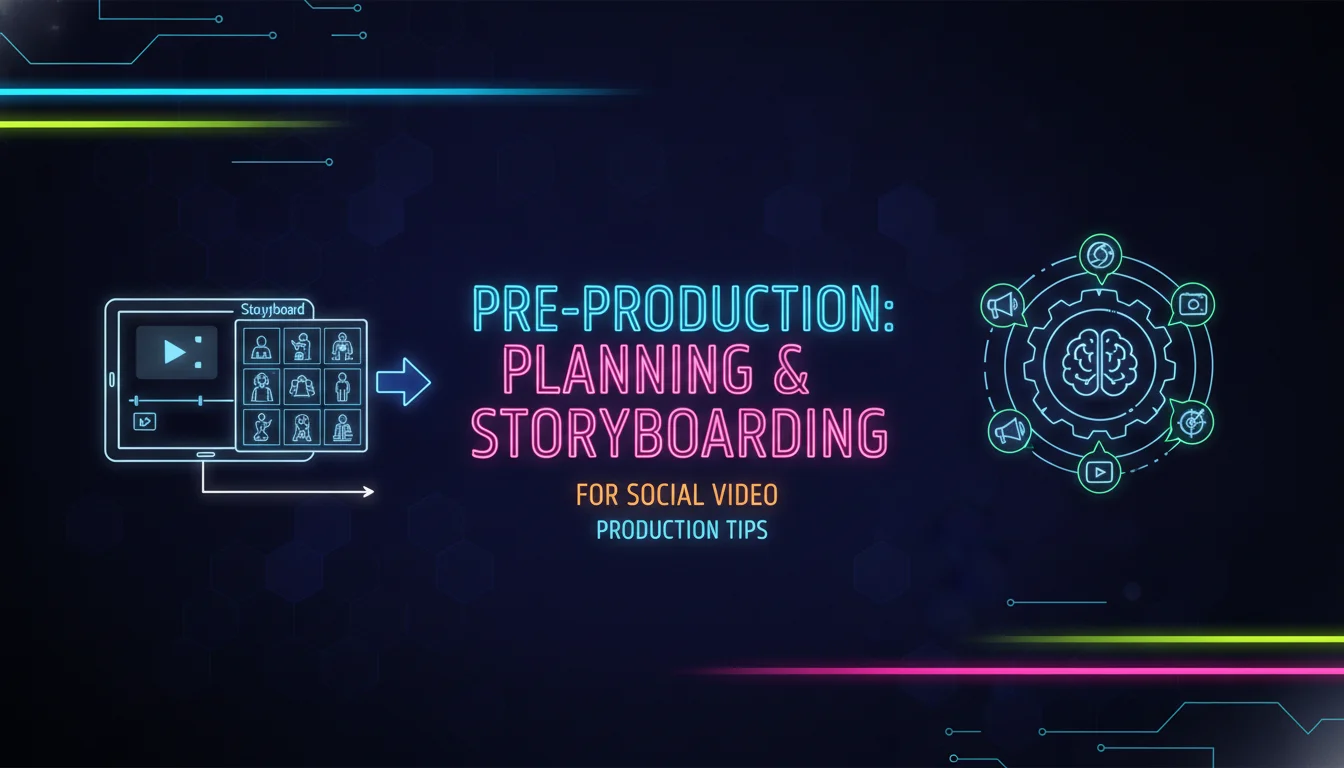
Define the Concept Before You Shoot
Pre-production is where strong the media video production tips actually live. Adobe’s professional videographer Lisa Bolden states, “The more refined your concept is, the better your viewership will be.” Worcester State encourages knowing the goal of the video: inform, entertain, or promote. Martin Turner reduces this to a blunt rule: decide what you’re making before you start making it. Pointing the camera and hoping something happens is a recipe for frustrating editing and a dull result.
Storyboarding and Scripting
Storyboarding is a pre-production method that outlines the sequence of shots and script before filming. For more detailed videos, Worcester State recommends creating a storyboard that outlines the shots you want to capture, the script if applicable, and the sequence of events. This keeps filming focused and organized. Hootsuite frames the same idea as strategy: define goals, target audience, and key message before creating any video. Strategy is the map. Without it, video creation is heading into the woods without a compass.
A Step-by-Step Pre-Production Workflow
The following workflow synthesizes guidance from Hootsuite, Adobe, and Worcester State. Use it before every social video.
- Step 1: Define the goal. Decide whether the video informs, entertains, promotes, or converts.
- Step 2: Identify the audience. Determine who the video is for and what they already search for on that platform.
- Step 3: Write a one-line concept. The logline should capture the core idea in a single sentence.
- Step 4: Storyboard the sequence. Sketch or list each shot, including wide, medium, and close-up variations.
- Step 5: Script and shot list. Write the spoken or on-screen text, then list the exact footage needed.
- Step 6: Check platform specs. Confirm aspect ratio, length limit, and audio expectations before filming.
Shooting Techniques: Lighting, Audio, and Composition
Stabilization and Tripod Use
Stabilization is a foundational shooting skill, and it costs almost nothing to get right. Worcester State advises holding your phone with both hands or using a tripod to keep footage steady and shake-free. Smartphone tripods are inexpensive and significantly improve stability. When filming interviews, tripods are especially useful for maintaining consistent shots between multiple interviewees, ensuring a cohesive look. A stable frame signals competence before a single word is spoken.
Lighting: Golden Hour and Natural Light
Golden hour is the period shortly after sunrise or before sunset that produces soft, warm natural light. Worcester State recommends filming in morning or late afternoon golden hour and avoiding harsh midday sun. When shooting indoors, use natural light from windows, but do not place the subject directly in front of a window, because that creates unflattering backlighting and affects exposure. Light quality often separates amateur-looking video from professional-looking video more than camera resolution does.
Audio: Capturing Clear Sound
Clear audio is non-negotiable. Worcester State says to film in a quiet location and consider an external microphone that connects to a smartphone. Small, affordable Bluetooth microphones are available online and can significantly improve audio quality. If the video has no dialogue, mute the audio during editing unless you want to retain background sound for ambiance. For removing background noise and enhancing audio, programs like Descript are genuinely helpful. Sound-off viewing is common on social feeds, but when sound is present, it must be clean.
Composition and Shot Variety
The Rule of Thirds is a composition technique that positions the subject off-center to create a more engaging frame. Worcester State advises applying the Rule of Thirds to video just as with photography. Incorporate a mix of wide shots, medium shots, and close-ups to add variety and visual interest. Shoot from different angles and perspectives. Always capture more footage than you think you need. Extra options make editing easier and the final video more compelling. This is one of those social media video production tips that costs nothing and pays off every single edit.
Editing Workflows: From Assembly to Retention Cuts
The Core Rules of Social Video Editing
Adobe says planning and storyboarding before shooting help content shine, and attention-grabbing intros plus snappy transitions are essential. Martin Turner adds a professional workflow that holds up across every format: logline, treatment, script, storyboard, filming, assembly, editing, output. That sequence prevents the chaotic edit. Another rule is background control. Whether shooting with green screen or live, get the background right before filming, because fixing it later is painful and time-consuming.
Editing Apps and Tools
Worcester State recommends user-friendly editing apps and highlights Descript for audio cleanup. Adobe points to Premiere for fine-tuning sequences and After Effects for motion graphics. Hootsuite offers a Best Practices for Social Video course for deeper instruction. The editing principles remain the same regardless of which tool you choose: cut for pace, animate for emphasis, and export for platform dimensions. As of 2026, the ecosystem of free and lower-cost alternatives to Adobe’s suite has expanded significantly, giving creators more options than ever without sacrificing quality.
“Your dimensions shrink a lot when you’re shooting for a vertical audience watching on their phones. You always have to be thinking about what composition and action you can fit into a 9-by-16 frame.” – Lisa Bolden, professional videographer, Adobe
Editing for Mobile and Vertical
Social video editing is shaped by mobile screens. Adobe’s Lisa Bolden says to “think small” because dimensions shrink for a vertical audience watching on phones. Different platforms require different aspect ratios or frame sizes. The key is to compose for a 9:16 frame before shooting, not to crop an afterthought. Vertical video is not a limitation. It is the native language of social feeds, and the best social media video production tips treat it as a creative constraint worth designing around from day one.
Platform-Specific Optimization and Social SEO
Social SEO Is Search Engine Optimization for Feeds
Social SEO is the practice of optimizing social content, including titles, tags, captions, and keywords, for platform search algorithms. According to Hootsuite, TikTok and YouTube use algorithms that mimic other search engines like Google. That means platform-specific keyword research should be part of your strategy. Make titles and tags as clear as possible, and organize caption words thoughtfully. Social SEO also helps you brainstorm content that audiences actually want, which is a smarter starting point than guessing.
Matching Search Intent
Beyond keywords, Hootsuite says content should match the audience’s search intent. A tutorial and a trend reaction may both use the same keyword, but they satisfy different needs. When you align topic, format, and caption to intent, the algorithm has an easier time distributing the video to the right viewers. For video production companies, this is especially important: a behind-the-scenes reel should target clients looking for proof of craft, not general entertainment browsers. These social media video production tips apply equally to B2B and B2C accounts.
Using Platform Length Limits and Aspect Ratios
Each platform imposes physical constraints. Worcester State notes YouTube Shorts max at 60 seconds and Instagram Reels under 90 seconds. Adobe warns that different platforms require different aspect ratios. These constraints are not obstacles. They are design briefs. Plan for them in pre-production, not after the edit. A horizontal corporate video reformatted into vertical after the fact will never perform as well as one shot native for the feed. This is one of the most overlooked social media video production tips among brands making the jump from traditional content.
What Are the 5-5-5, 5-3-1, and 5-3-2 Rules for Social Media?
These rules are content distribution frameworks, not video production formulas, but they directly shape how your video content fits into a broader social strategy.
The 5-5-5 rule is a posting cadence model: for every five pieces of content you publish, five should be educational or entertaining, and five should be promotional. The exact split varies by source, but the core idea is that promotional content should never dominate your feed.
The 5-3-1 rule is a content mix framework: out of every nine posts, five share others’ content, three share your own original content, and one is directly promotional. It keeps your feed from feeling like a sales channel.
The 5-3-2 rule applies a similar logic: five posts are curated from other sources, three are original content, and two are personal or behind-the-scenes. For video creators, this means your social media video production tips content, tutorials, and brand stories should make up the bulk of your output, with direct calls to action used sparingly.
None of these rules are platform-official. They are practitioner frameworks that help brands avoid the trap of posting only when they want something from their audience.
Essential Social Media Video Production Tips for Consistency and Measurement
Building a Content Engine
Consistency matters more than occasional virality. Quora contributor Z. Uddin lists ten best practices for social video: keep it short and sweet; start strong; make one point and no more than three; entertain, inspire, inform, or ideally all three; produce share-worthy content; speak from the heart; have a clear call to action; define your networks or themes; keep consistency in brand voice; and research competitive analysis. These social media video production tips turn one-off videos into a repeatable system. That system is what separates accounts that grow from accounts that plateau.
Measuring What Matters
Worcester State offers a separate guide to measuring social media success, underscoring that production is only half the job. Track watch time, completion rate, shares, and saves, not just views. Without measurement, you cannot know which hooks, lengths, or formats actually perform. Rev also frames video as part of a broader marketing mix, meaning measurement should connect video performance to business outcomes. A video that gets views but no saves or shares is not necessarily succeeding.
Common Mistakes to Avoid
The most avoidable mistakes come directly from ignoring the fundamentals: shooting without a plan, recording in harsh light, relying on built-in microphones in noisy rooms, using a single static shot for too long, and exporting a horizontal video into a vertical feed. Avoid these and you are ahead of most accounts. Applying solid social media video production tips is not about expensive gear. It is about discipline, and discipline is free.
Strong social media video production tips succeed when they integrate planning, retention editing, mobile-first shooting, and platform-specific optimization. Use the checklist above, measure the results, and refine week over week. If you want a creative team that does this at a professional level, we would love to help.
Ready to build video content that actually performs? Contact Emin Media for a free brand consultation and let’s create something bold together.
Frequently Asked Questions
What is the best way to make videos for social media?
Start with a defined goal, storyboard your shots, and shoot stable footage with good natural light and clean audio. Then edit for a visual change roughly every five seconds and optimize titles, tags, and captions for each platform’s search algorithm. Strategy before camera is the single most important habit.
How long should social media videos be?
Most social videos should be 30 seconds to 2 minutes. YouTube Shorts must be 60 seconds or shorter, and Instagram Reels should be under 90 seconds. If the content is genuinely compelling, 2 to 3 minutes can work, but shorter is usually better.
Do I need expensive equipment for social media video production?
No. Worcester State confirms that a smartphone and simple techniques are enough to produce high-quality videos. A tripod, natural light, and an affordable Bluetooth microphone will cover most production needs without a significant budget.
What is the 5-5-5 rule for social media?
The 5-5-5 rule is a content distribution framework suggesting that promotional posts should be balanced with educational and entertaining content. The exact split varies by practitioner, but the principle is that your feed should offer value far more often than it asks for something in return.
What are the core editing rules for social media video?
Cut for retention by introducing a new visual event roughly every five seconds. Use jump cuts, snappy transitions, and clean audio. Plan and storyboard before shooting, compose for a 9:16 vertical frame, and edit in a dedicated tool like Adobe Premiere or Descript for the best results.
How does social SEO affect video performance?
Social SEO means optimizing platform search signals including titles, tags, captions, and keywords. Hootsuite notes that TikTok and YouTube algorithms mimic search engines, so keyword research and search intent matching directly affect how widely your video gets distributed.
Enjoyed this article?
Contact Emin Media for a free brand consultation and let's create something amazing together.
Get in TouchRelated Articles

Visual Content Marketing Trends for 2026
Visual content marketing trends for 2026 are reshaping how brands connect. Discover AI visuals, interactive…
Brand Voice Examples 2026: Build a Voice That Sticks
Explore the best brand voice examples 2026 has to offer. Learn frameworks, archetypes, and steps…
What Are the 3 Cs of SEO? Content, Code & Credibility
What are the 3 Cs of SEO? Learn how Content, Code, and Credibility work together…