Video Editing for Social Media: The 2026 Playbook
- Video editing for social media is not just trimming clips. It’s crafting platform-native content that hooks viewers in the first few seconds.
- A structured workflow paired with AI-powered tools like Canva Magic Studio and CapCut can cut production time while keeping quality high.
- Hiring a dedicated social media video editor through freelance marketplaces can free up strategic time, with costs scaling from per-project rates to monthly retainers.
- Every platform demands different specs: 9:16 for TikTok and Reels, 16:9 for YouTube, and 1:1 for feed posts.
- The strongest social videos combine a sharp hook, a clear message, and captions built for sound-off viewing.
Video editing for social media is the process of shaping raw footage to match the technical specs and viewing habits of platforms like Instagram Reels, TikTok, and YouTube Shorts. The strongest results come from pairing the right software with a clear creative plan.
Key Takeaways
- social media prioritizes mobile-first, vertical framing over traditional widescreen storytelling.
- Hooking viewers in the first two to three seconds is the single biggest factor in whether your video gets watched.
- AI tools like Canva’s Magic Studio and CapCut’s auto-captions are compressing editing timelines dramatically.
- Platform-specific exports (9:16, 16:9, 1:1) matter more than a single one-size-fits-all edit.
- DIY editing works for simple content, but hiring a dedicated editor pays off once you’re publishing multiple videos weekly.
- Captions are non-negotiable since most social video is watched with the sound off.
What Is Video Editing for Social Media?
Defining Video Editing for Social Media
this type of media is the process of transforming raw footage into concise, visually engaging clips built for platforms like Instagram, TikTok, and Facebook. Unlike traditional editing for film or TV, it prioritizes mobile-first viewing, vertical aspect ratios, and rapid pacing to match shorter attention windows.
According to Adobe, effective social media video editing means always thinking about what composition and action you can fit into a vertical phone screen. Today, that typically means a 9:16 aspect ratio.
Why It Differs from Traditional Video Editing
Traditional editing builds narrative arcs that unfold over minutes or hours. Social editing has to deliver value in seconds instead. The opening moment of every social video must hook viewers immediately, often by teasing the payoff or leading with a bold visual. Social clips also lean heavily on text overlays and captions, since so many people scroll with their phones muted.
Why Video Editing for Social Media Matters in 2026
The Shrinking Attention Span
this kind of social media matters in 2026 because viewer patience keeps shrinking while feed competition keeps growing. Adobe notes that most people’s attention span is about three seconds when they’re deciding whether to watch your video. Canva echoes this, pointing to a two-second attention window for Facebook video ads. If your edit doesn’t hook viewers in that opening window, you’ve lost them before your message even lands.
“The more refined your concept is, the better your viewership will be.” – Lisa Bolden, Adobe Creative Cloud
The Business Impact of Polished Social Videos
Well-edited social videos directly shape brand perception and conversion rates. Canva highlights that eye-catching video posts can improve engagement and conversions for a business. In a HubSpot community discussion, users reported that moving beyond basic in-app editing toward dedicated tools like Sovran or Canva led to more consistent brand presentation and stronger viewer retention. Creative industry data shows brands that invest in intentional editing workflows see fewer drop-offs in the first ten seconds of a clip.
How to Edit Videos for Social Media: A Step-by-Step Process
Step 1: Plan and Storyboard Your Concept
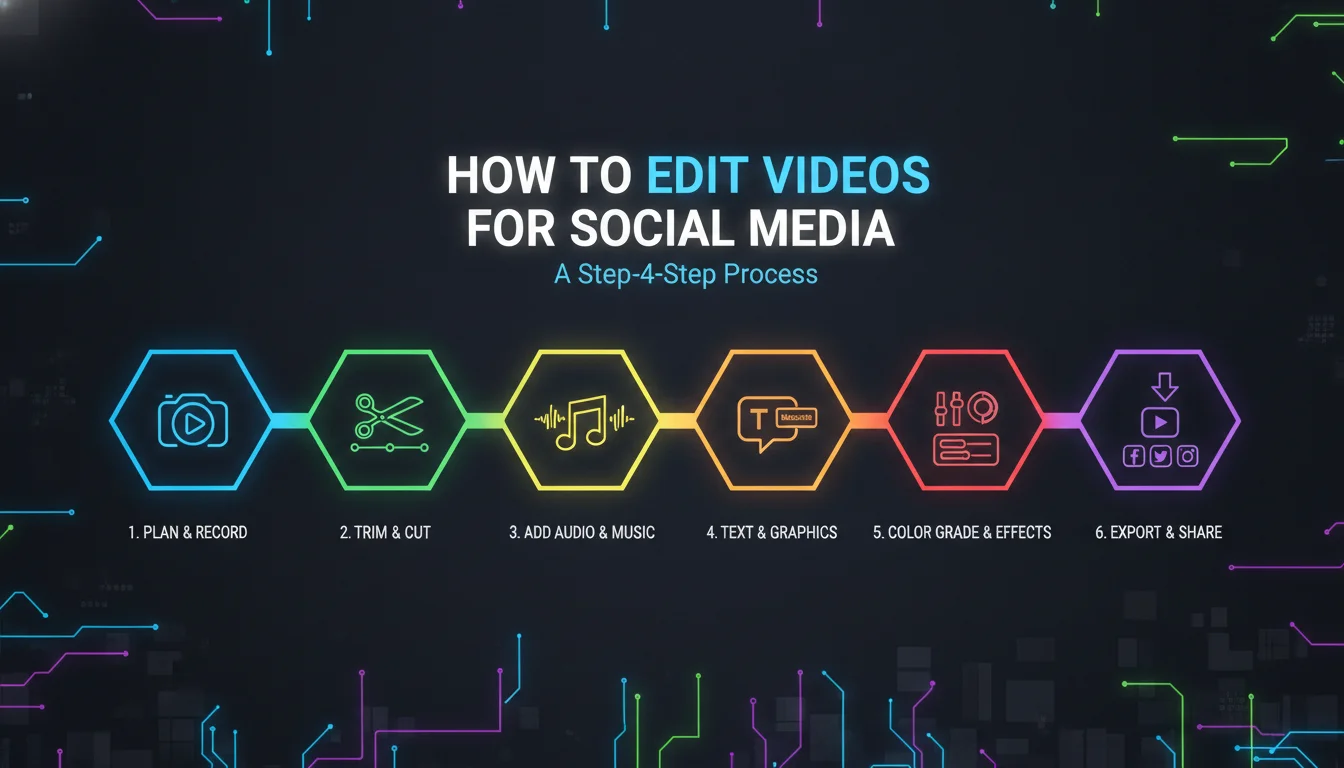
Start by defining your concept, target platform, and core message before you ever pick up a camera. As Adobe’s Lisa Bolden puts it, the more refined your concept is, the better your viewership will be. This is the planning phase where good the editing for social media actually begins, long before you open your editing software.
Step 2: Gather and Organize Your Assets
Collect all raw clips, B-roll, music, and brand elements in one place. Organize them into folders or bins within your editing software. This one habit saves hours later, especially once a project has dozens of clips.
Step 3: Build a Rough Assembly, Hook First
Place your most compelling visual or action in the first three seconds. Sovran advises opening on the most interesting visual, adding a caption that names the pain point, and getting to the proof faster. This ordering matters more in social video editing than in almost any other format.
Step 4: Refine with Transitions, Captions, and Audio
Use smooth, flow-matching transitions to move between scenes without jarring cuts. Add subtitles, since social media video editing must assume silent playback by default. Sync background music using tools like Canva’s Beat Sync (Pro tier) or CapCut’s auto-sync feature.
Step 5: Export for Each Platform
Render your final cut in the correct aspect ratio: 9:16 for TikTok and Reels, 16:9 for YouTube, and 1:1 for Instagram feed posts. Double-check pixel resolution, bitrate, and file size so uploads stay fast and playback stays crisp.
How AI Is Streamlining Social Video Editing
Modern media increasingly relies on artificial intelligence to handle repetitive work. Canva’s Magic Studio includes Magic Video for text-to-video generation and Magic Animate for automated motion graphics. Tools like Sovran use AI to batch-create ad variants from existing footage, cutting turnaround time significantly for performance marketing teams running paid social ad testing across Meta, TikTok, and YouTube. According to a HubSpot community thread, users appreciate how AI features in Descript and Canva reduce repetitive tasks like trimming silences and generating captions automatically.
The Best Video Editing Tools for Social Media in 2026
Comparison Table of Top Video Editing Tools for Social Media
This table compares the leading software used for video editing, based on user reviews and feature sets as of 2026.
| Tool | Key Features | Best For | Pricing Model (2026) |
|---|---|---|---|
| Adobe Premiere Pro | Professional timeline, multi-track editing, rich transition library, integration with After Effects for advanced motion graphics | High-end brand content, YouTube series, ads with complex VFX | Subscription, starts at $22.99/month |
| Canva | 1M+ templates, drag-and-drop editor, AI Magic Studio, built-in content planner for scheduling posts | Small businesses, marketers, quick social clips | Free plan; Pro from $12.99/month |
| CapCut | Native TikTok/Reels templates, auto-captions, trendy effects, free music library, mobile-first design | TikTok and Reels creators, vertical short-form videos | Free with in-app purchases; Pro from $7.99/month |
| Descript | Text-based video editing, AI voice cloning, screen recording, tight integration for talking-head videos | Podcasters, coaches, educational content with scripted dialogue | Free plan; Pro from $24/month |
| Sovran | AI-powered ad variant creation, batch editing, performance analytics, team collaboration built for paid social | Performance marketing teams running Meta, TikTok, and YouTube ads at scale | Custom pricing; free trial available |
Sources: Adobe, Canva, HubSpot Community, Facebook Group, Sovran. Pricing based on publicly available data as of May 2026.
Free vs. Paid Video Editing Software for Social Media
Free tools like CapCut and Canva’s free tier offer enough firepower for most creators just getting started. Paid tiers unlock premium transitions, deeper AI features, and brand kits. According to a Facebook group discussion among creators, starting with free apps and upgrading as a channel grows is the most budget-friendly path forward.
Free tools are great for testing content formats and finding your visual voice. But if you’re consistently producing content for a brand or client roster, a paid plan speeds up your workflow and improves consistency across every video you ship.
DIY vs. Professional Social Media Video Editing
When Should You Edit Your Own Social Media Videos?
DIY editing makes sense when you have a limited budget, a simple message, or the time to learn the basics. Platforms like Canva and CapCut are built for non-professionals and can produce polished results fast. As noted in a HubSpot thread, many marketing teams start with in-house editing using Canva and Descript before outsourcing anything.
The Benefits of Hiring a Social Media Video Editor
If your business publishes multiple videos a week or needs complex motion graphics, hiring a dedicated editor often pays for itself in saved time and stronger performance. Freelance marketplaces list hundreds of social media video editors, with services ranging from simple cut-downs priced per project to full post-production retainers billed monthly. For larger campaigns, agencies and freelance teams can manage end-to-end production, including thumbnail design and caption formatting.
A professional editor understands pacing, platform algorithms, and accessibility standards, making sure your social video content meets creative goals and technical ones like closed-caption compliance.
Creative industry data shows that brands running consistent, professionally edited social video see measurably better completion rates than those relying on unedited raw footage.
Platform-Specific Video Editing Tips for Social Media
Instagram Reels and Stories
Shoot and edit in 9:16 vertical, keep Reels under 90 seconds, and use Instagram’s native text and sticker overlays to boost engagement. According to a Facebook group post, the Instagram algorithm may favor videos edited natively, so it’s worth adding final touches inside the app after your main edit.
TikTok
TikTok rewards trending sounds, fast cuts, and on-screen text. CapCut is often recommended for this platform because it syncs directly with trending templates and effects. Keep intros under 1.5 seconds. If you don’t hook the viewer instantly, they’ll swipe past.
YouTube Shorts and Long-Form
Shorts (vertical, up to 60 seconds) demand snappy edits similar to TikTok. Long-form YouTube videos (horizontal 16:9) allow for more detailed intros and slower pacing. Adobe Premiere Pro and DaVinci Resolve remain common choices for YouTube creators who want advanced color grading and audio control.
Facebook and LinkedIn
Facebook supports multiple aspect ratios, but square (1:1) or vertical (4:5) tend to perform best in feed. LinkedIn has fully embraced video, and a professional, captioned edit can meaningfully boost B2B engagement. Canva’s Brand Kit (Pro tier) is especially useful here for locking in brand colors and fonts, so every video stays consistent across a company’s channels.
Golden Rules for Effective Social Media Video Editing
Rule 1: Hook Viewers Within 3 Seconds
Hooking viewers within three seconds is the single most important rule in social media, according to both Adobe and Canva. Start with your most compelling visual, a provocative question, or a bold statement. Miss that three-second mark and your video gets scrolled past, no matter how good the rest of the edit is.
Rule 2: Design for Sound-Off Viewing
Most social video is watched without sound, based on platform behavior widely cited across marketing blogs. Every major editing guide insists that captions are non-negotiable for this reason. Canva makes it easy to add animated text; CapCut provides auto-captions with strong accuracy out of the box.
Rule 3: Keep It Short and Focused
Creators discussing golden rules on Quora consistently land on the same two ideas: keep it short and sweet, and make one point, never more than three. Effective this type of media means trimming ruthlessly. Every second has to earn its place in the final cut.
Rule 4: Match Aspect Ratios to Platforms
Editing one video to fit every platform rarely works well. Start with your primary platform in mind, then reframe or export separate versions for the rest. Adobe Premiere Pro’s Auto Reframe feature can automate part of this process.
Rule 5: Maintain Visual Consistency
Use the same brand colors, fonts, and logo animations across every social video you publish. Canva’s Brand Kit lets you lock in your brand palette and typography, so every piece of video editing for social media stays aligned with your company’s identity, no matter who’s behind the timeline.
Pros and Cons of DIY Video Editing for Social Media
Pros
- Lower upfront cost, especially with free tools like CapCut and Canva’s free tier
- Faster turnaround for simple content since there’s no back-and-forth with an outside editor
- Full creative control over pacing, music, and brand voice
- Easier to test formats quickly before committing budget to a larger production
Cons
- Time-intensive, especially for teams publishing multiple videos per week
- Limited access to advanced motion graphics without tools like Adobe After Effects
- Inconsistent output quality without a dedicated editor’s trained eye
- Harder to scale paid social ad variant testing without specialized platforms like Sovran
Frequently Asked Questions
What is the best video editor for social media?
The best editor depends on your goals and skill level. Canva works well for quick, template-driven videos, Adobe Premiere Pro suits advanced editors handling complex projects, and CapCut is ideal for TikTok creators. Many professionals combine two or three of these tools depending on the platform.
How do people edit videos for social media?
Most creators start by trimming raw footage, building a hook, adding captions and transitions, then exporting in the correct aspect ratio for each platform. Mobile apps like CapCut and desktop software like Premiere Pro both streamline this process, just at different levels of complexity.
What are the best video editing services for social media?
Freelance marketplaces connect businesses with independent video editors at a range of price points, from simple cut-downs to full campaign production. For higher-volume needs, agencies or dedicated in-house editors offer more consistent, ongoing production support.
What is the 3:2:1 rule in video editing?
The 3:2:1 rule typically refers to a data backup strategy (three copies, two media types, one off-site) rather than a social media editing principle. If you’re thinking of a composition rule instead, you’re likely thinking of the rule of thirds, which guides how to frame a shot attractively.
Can I edit videos for social media on my phone for free?
Yes. Apps like CapCut, Canva, and InShot all offer free mobile editing with genuinely useful features. They support text overlays, music, and transitions, and most export directly to your social platform of choice without extra steps.
How long should social media videos be?
Aim for 15 to 60 seconds on most platforms. Instagram Reels can run up to 90 seconds and TikTok technically allows up to 10 minutes, but shorter clips consistently earn higher completion rates across the board.
Mastering Video Editing for Social Media in 2026
As of 2026, effective video editing for social media is what separates forgettable content from content that drives real business results. Whether you’re a solopreneur using Canva to build quick Instagram Reels or a marketing team using Sovran to scale ad production, the principles stay the same: lead with a strong hook, respect your audience’s time, and build for silent viewing first. Adopt the right tools, follow a clear workflow, and treat these golden rules as non-negotiable, and you’ll turn raw footage into social videos that actually convert scrollers into loyal followers.
Ready to stop guessing and start producing video that performs? Contact Emin Media for a free brand consultation, and let’s build something bold together.
Enjoyed this article?
Contact Emin Media for a free brand consultation and let's create something amazing together.
Get in TouchRelated Articles
Digital Marketing for Creatives: A Bold Guide
Digital marketing for creatives builds real visibility and sales. Learn strategies for social media, SEO,…
Video SEO for Creative Agencies: The 2026 Playbook
Video SEO for creative agencies is how you turn portfolio reels into search traffic. Get…
Creative Brand Photography: The Complete Guide
Creative brand photography is your visual voice. Learn how to plan shoots, find the right…