Media Production Equipment List: Full 2026 Guide
Key Takeaways
- A solid media production equipment list covers cameras, audio, lighting, stabilization, and post-production tools.
- Equipment needs vary based on project type, budget, and team size – there is no universal kit.
- Investing in quality gear improves production value, but smart prioritization matters more than spending big.
- Testing and maintaining your gear before every shoot prevents costly delays on set.
- As of 2026, mirrorless cameras and compact wireless audio systems have become the standard for most productions.
- Building your kit in stages – starter, intermediate, advanced – keeps costs manageable and skills sharp.
Media Production Equipment List: The Full 2026 Guide for Filmmakers and Content Creators
A media production equipment list is the complete inventory of cameras, audio devices, lighting tools, and post-production software a filmmaker or content creator needs to produce professional video. Getting this list right before a shoot is the difference between a smooth production day and an expensive scramble.
Understanding Media Production Equipment
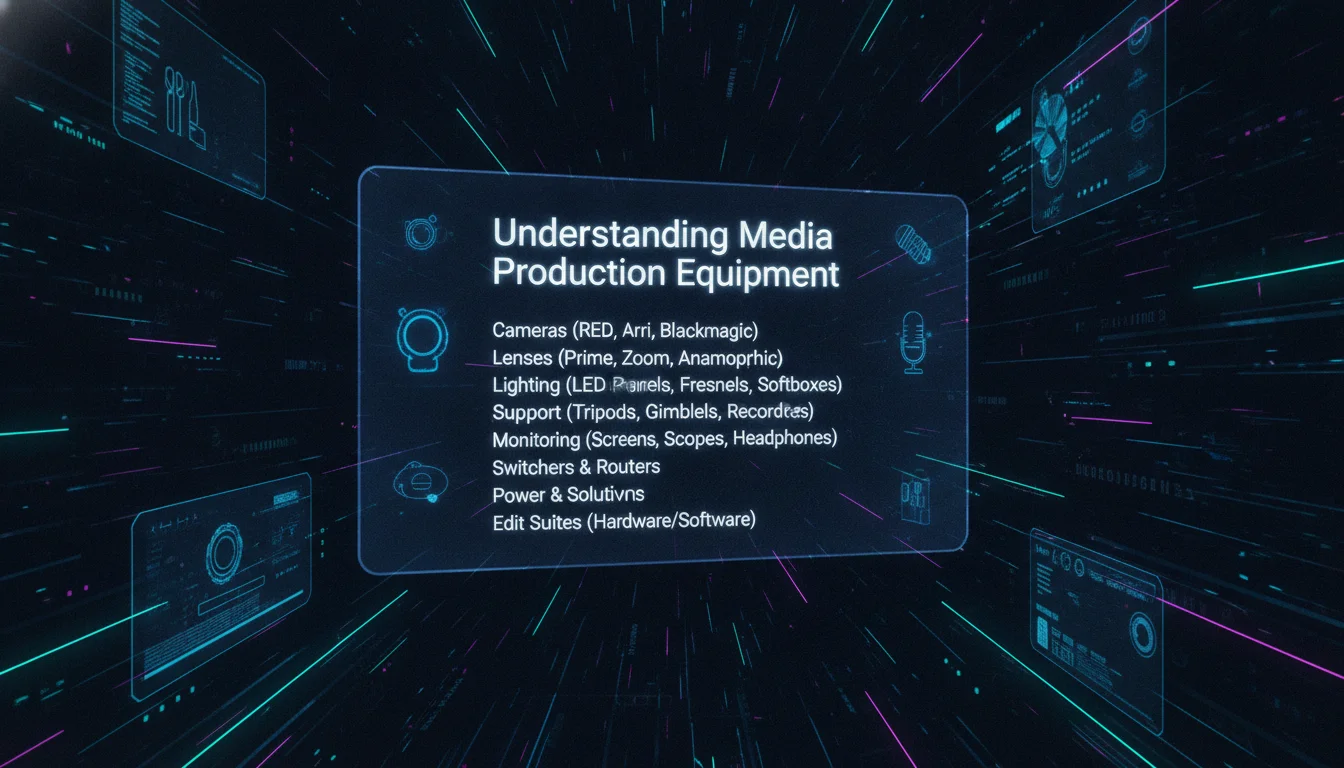
Media production equipment refers to every tool and device involved in creating video content, from the camera capturing the image to the software rendering the final cut. Each piece serves a specific function, and gaps in your kit show up on screen.
What is Media Production Equipment?
Media production equipment encompasses all the hardware and software necessary for filming, recording, and editing video content. This includes cameras, lenses, microphones, lighting rigs, stabilizers, and editing platforms. Think of it as the full signal chain: capture, record, process, deliver.
Why is a Media Production Equipment List Important?
A thorough media production equipment list helps filmmakers confirm they have every necessary tool before the shoot begins. Arriving on location without a key piece of gear – a charged battery, a memory card, an XLR cable – can shut down an entire production day. According to industry production guides, pre-shoot checklists are one of the most consistently cited practices among professional crews for avoiding avoidable delays.
Types of Media Production Equipment
- Cameras: The core image-capture device of any video production.
- Audio Equipment: Microphones, recorders, and cables for capturing clean sound.
- Lighting Gear: Fixtures, modifiers, and reflectors for controlling the visual environment.
- Stabilization Equipment: Tripods, gimbals, and rigs for controlled camera movement.
- Post-Production Tools: Editing software, hard drives, and color grading platforms.
How a Production Kit Actually Works
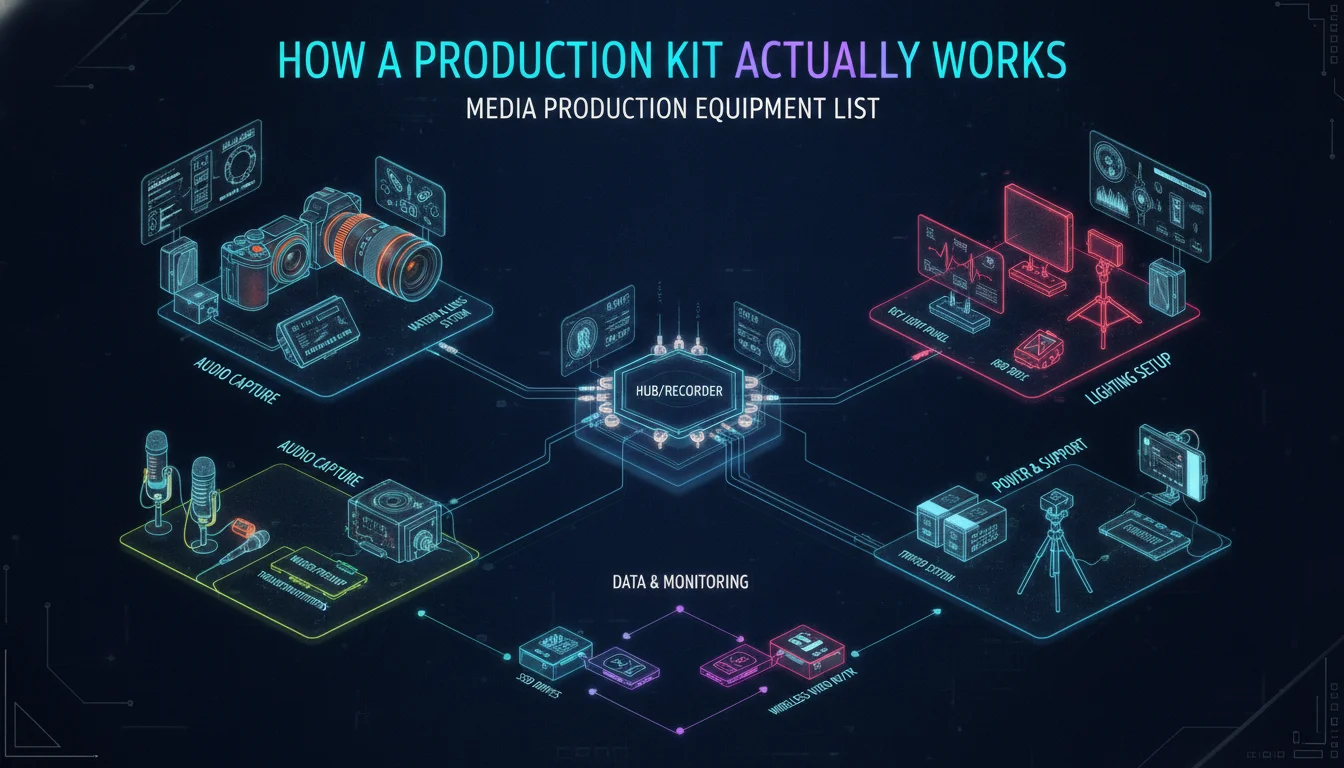
Understanding how each piece of your kit connects to the others is what separates a prepared crew from a reactive one. Every item on your media production equipment list fits into one of three stages: capture, support, or finish.
The Capture Stage
The camera body records the image sensor data onto a memory card or internal drive. A lens focuses light onto that sensor. The choice of lens focal length determines how wide or tight the frame appears. Simultaneously, a microphone captures audio – either directly into the camera via a 3.5mm or XLR input, or into a separate audio recorder like the Zoom H5 for higher-quality isolation. These two streams, video and audio, are the raw material of every production.
The Support Stage
Support equipment shapes what the camera sees and hears. Lighting rigs control the quality, direction, and color of light falling on the subject. A three-point lighting setup – key light, fill light, and backlight – is the standard for interviews and narrative scenes. Stabilization tools like tripods, fluid heads, and gimbals control camera movement, eliminating the shaky-footage problem that marks amateur work. Monitors let the director and cinematographer evaluate the frame in real time rather than guessing from a small camera display.
The Finish Stage
Post-production tools process the raw footage into a finished product. Editing software assembles the clips, trims performances, and sequences the story. Color grading tools adjust the visual tone. Audio software cleans dialogue, adds music, and balances levels. External hard drives store and back up everything. This stage is invisible to the audience but accounts for a significant portion of total production time on most projects.
“Great audio often separates the pros from the amateurs. Having a shotgun mic prepares you for almost every situation.” – Desktop Documentaries, documentary filmmaking resource
Essential Equipment Categories
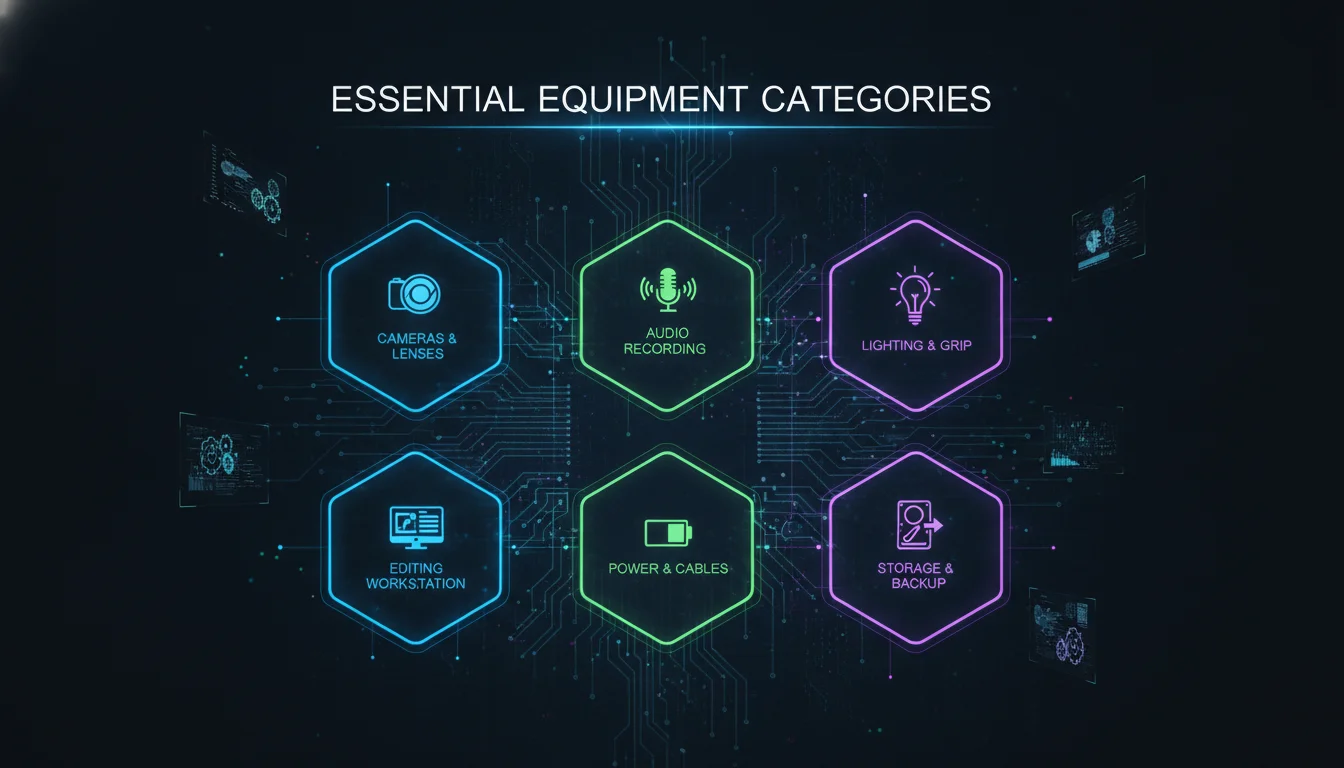
When compiling a media production equipment list, categorizing gear by function makes the process faster and reduces the chance of missing something critical. Below are the primary categories every production needs to address.
Cameras
The camera is the centerpiece of any media production. The choice of camera depends on the type of project, budget, and desired quality.
- DSLR Cameras: Versatile and popular among beginners and professionals alike. They accept interchangeable lenses and offer strong image quality at accessible price points.
- Mirrorless Cameras: Offer high-quality video in a compact form. Models like the Sony A7S are widely used on low-to-mid budget productions for their low-light performance.
- Cinema Cameras: Used for high-end productions, such as the ARRI Alexa, which is the standard on large-scale Hollywood shoots.
- Smartphones: A legitimate starting point. As competitor research from Riverside confirms, online videos reach an audience of 92% worldwide, and many creators begin with the device already in their pocket.
Lenses
A camera body without the right lens is like a paintbrush without bristles. Lenses determine depth of field, perspective compression, and overall image character.
- Prime Lenses: Fixed focal length. Sharper, faster apertures, and often more affordable per focal length.
- Zoom Lenses: Variable focal length. More flexible on run-and-gun shoots where you cannot reposition quickly.
- Wide Angle Lenses: Capture more of the environment. Essential for establishing shots and tight interior spaces.
- ND Filters and Polarizers: Not lenses themselves, but lens accessories that control light in bright outdoor conditions.
Audio Equipment
High-quality audio is just as important as video quality – arguably more so, since audiences tolerate imperfect visuals far more readily than they tolerate bad sound.
- Shotgun Microphones: Ideal for capturing directional sound. The Audio-Technica AT8035 is a widely referenced option for documentary and field production work.
- Wireless Microphones: Provide flexibility during interviews and on-location shoots. The Rode Wireless GO II is a compact, reliable system used across content creation and corporate video.
- Audio Recorders: The Zoom H5 is a field-proven portable recorder for productions where the camera’s built-in audio inputs are insufficient.
- Boom Pole and Shock Mount: The boom pole positions the shotgun mic above the subject. The shock mount isolates the mic from handling noise as the pole moves.
- XLR Cables: Professional-grade audio cables connecting microphones to cameras or recorders. Balanced signal, minimal interference.
- Headphones: Monitoring audio in real time during a shoot is non-negotiable. You cannot fix audio surprises you did not hear on set.
Lighting Equipment
Proper lighting can dramatically improve the quality of your video. Light is not just about brightness – it shapes faces, sets mood, and signals production value to the viewer.
- Three-Point Lighting Kits: Standard setup for interviews and narrative scenes. Key light illuminates the subject, fill light softens shadows, backlight separates the subject from the background.
- LED Lights: Energy-efficient and versatile for various shooting conditions. Options like the Neewer 660 LED Video Light and the Godox SL-60W fall in the $100 to $250 range and cover most small-to-mid production needs.
- Light Reflectors: Help manipulate natural light for better results. A reflector can turn a flat, amateur-looking outdoor shot into something with depth and warmth – for almost no cost.
- Camera Light: A small on-camera fill light is useful for documentary and news-style shoots where a full three-point setup is not practical.
Stabilization Equipment
Shaky footage reads as amateur regardless of how good the camera is. Stabilization tools are not optional – they are part of the visual language of professional production.
- Tripod with Fluid Head: The foundation of stable footage. A fluid head allows smooth pans and tilts rather than jerky repositioning.
- Gimbal: An electronic stabilizer that uses motors to keep the camera level during movement. Gimbals detect camera motion and automatically compensate, producing smooth tracking shots.
- Steadicam: An older, manual stabilization system that uses inertia and counterweights to smooth out operator movement. Still used on productions where the organic feel of a Steadicam shot is preferred over the mechanical precision of a gimbal.
- Jib or Camera Crane: Allows overhead and vertical camera movements. Manually operated jibs are portable and affordable. Remote-controlled electronic jibs offer more range but require a larger budget.
Post-Production Tools
The shoot is only half the job. Post-production tools transform raw footage into a finished, deliverable product.
- Editing Software: Platforms like Adobe Premiere Pro, DaVinci Resolve, and Final Cut Pro are industry standards. DaVinci Resolve offers a free tier with professional-grade color grading tools built in.
- External Hard Drives: Footage files are large. A reliable external drive – ideally two, for redundancy – is essential for storing and backing up your work.
- Color Grading Tools: Built into most editing platforms, but dedicated tools like DaVinci Resolve’s color page offer deeper control over the visual tone of the finished piece.
- Audio Post Software: Adobe Audition, Logic Pro, or even the audio tools inside your editing platform handle dialogue cleanup, music mixing, and sound design.
Pros and Cons of Building a Full Media Production Kit
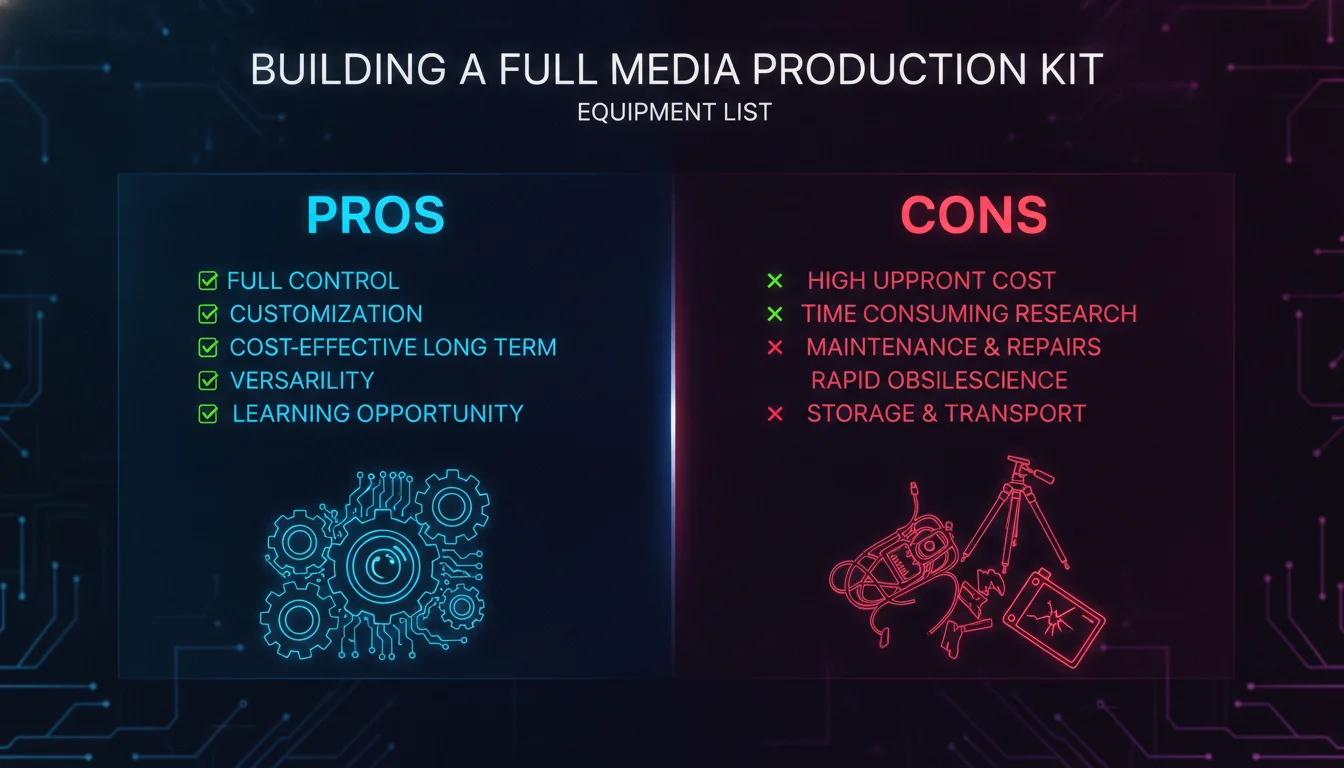
Owning a complete media production equipment list gives you creative control and long-term cost savings, but it comes with real trade-offs worth understanding before you commit.
Pros
- Creative control: You choose the gear, you know the gear, and you can make decisions on set without waiting on a rental house.
- Long-term cost efficiency: Owned equipment pays for itself across multiple productions. Rental costs add up fast on recurring shoots.
- Availability: Your kit is ready when you are. No booking windows, no availability conflicts, no rental minimums.
- Skill development: Owning gear encourages you to practice with it regularly, which builds genuine technical fluency.
- Brand consistency: Your own kit produces a consistent visual signature across projects, which strengthens your portfolio identity.
Cons
- Upfront cost: A professional-grade kit requires significant initial investment across cameras, audio, lighting, and stabilization.
- Depreciation: Camera technology moves fast. Gear purchased today may feel outdated within a few production cycles.
- Maintenance responsibility: You own the problem when something breaks. Cleaning, calibrating, and repairing gear takes time and money.
- Storage and transport: A full kit takes up space and requires careful packing for location shoots.
- Overkill for one-off projects: For a single specialized shoot – aerial footage, underwater work, high-speed capture – renting specialized gear is almost always smarter than buying it.
Building Your Media Production Equipment List
Creating a tailored kit involves understanding your specific needs based on the type of production you are undertaking. The goal is not to own everything – it is to own the right things for the work you actually do.
Assessing Your Needs
Before purchasing equipment, consider the following:
- Project Type: Are you filming a documentary, a corporate video, or a narrative film? Each has different demands on camera movement, audio complexity, and lighting control.
- Budget: Determine how much you can afford to spend on equipment. Start with essentials and expand as revenue from productions allows.
- Team Size: A larger team may require more specialized equipment and dedicated operators for each department.
- Distribution Format: A film destined for theatrical release has different technical requirements than a YouTube series or a social media campaign.
Creating a Starter Kit
For beginners, a starter kit should include:
- Camera body (DSLR or mirrorless)
- Tripod with fluid head for stability
- Basic LED lighting kit
- Shotgun microphone
- Multiple memory cards
- Extra batteries (at least 2-3 spares – a single battery will not last a full shoot day)
- Headphones for audio monitoring
- Light reflector
Upgrading Your Equipment
As you gain experience and revenue, consider upgrading in this order:
- Move from a kit lens to dedicated prime or zoom lenses for better image quality and low-light performance.
- Add a wireless microphone system for interview and documentary work.
- Invest in a portable audio recorder for productions where camera audio inputs are limiting.
- Add a gimbal for dynamic movement shots.
- Expand your lighting kit with additional fixtures and modifiers for more complex setups.
Comparison of Popular Media Production Equipment
The table below compares the main equipment categories, representative models, and general price ranges to help you prioritize your purchases.
| Equipment Type | Example Models | Price Range | Best For |
|---|---|---|---|
| Cinema Cameras | ARRI Alexa | Rental recommended | High-end narrative and commercial production |
| Mirrorless Cameras | Sony A7S series, Canon EOS R series | Mid-to-high range | Versatile productions, low-light work |
| DSLR Cameras | Canon EOS series, Nikon Z series | Entry-to-mid range | Beginners, corporate video, documentary |
| Shotgun Microphones | Audio-Technica AT8035, Rode NTG series | $100 to $250 | Field production, documentary, interviews |
| Wireless Microphone Systems | Rode Wireless GO II | $200 to $250 | Interviews, walk-and-talk, corporate video |
| LED Lighting Kits | Neewer 660 LED, Godox SL-60W | $100 to $250 | Indoor shoots, studio setups, interviews |
| Audio Recorders | Zoom H5 | $200 range | DSLR and mirrorless productions needing separate audio |
| Gimbals | DJI RS series, Zhiyun Crane series | $100 to $500 | Dynamic movement, run-and-gun, social content |
How to Apply This: Building Your Kit Step by Step
Knowing what gear exists is one thing. Knowing how to build your kit strategically – without overspending or under-preparing – is the practical skill that separates working professionals from aspiring ones.
Step 1: Define Your Primary Output Format
Before buying a single piece of gear, decide what you are primarily making. A corporate interview series has different requirements than a short narrative film or a social media content calendar. Your output format determines your camera choice, your audio approach, and your lighting complexity.
Step 2: Start With Audio, Not Camera
This is counterintuitive but consistently validated by working professionals. Bad audio destroys a video faster than bad visuals. Before upgrading your camera body, make sure you have a reliable microphone, a way to monitor it, and cables to connect it. A mid-range camera with great audio will outperform a high-end camera with terrible sound every time.
Step 3: Rent Before You Buy Specialized Gear
For equipment you will use infrequently – jibs, cinema cameras, specialized lenses – rent first. Rental gives you hands-on experience with the gear before committing to a purchase. It also keeps capital free for the items you use on every shoot.
Step 4: Build a Pre-Shoot Checklist
Create a physical or digital checklist based on your media production equipment list and run through it before every shoot. Check batteries, format memory cards, test audio levels, verify all cables are present, and confirm lighting fixtures are functioning. This takes roughly 30 minutes before a shoot and saves hours of problem-solving on location.
Step 5: Document and Track Your Gear
As your kit grows, use an asset tracking system to log what you own, its condition, and its location. Production management platforms and even simple spreadsheets work for smaller operations. For teams and educational programs, dedicated equipment tracking tools allow check-out and return logging so nothing goes missing between shoots.
Step 6: Review and Refresh Annually
As of 2026, camera and audio technology continues to evolve at a meaningful pace. Set an annual review date to assess which pieces of your kit are still performing at the level your productions require, and which have become limiting factors. Sell or trade aging gear before it loses too much value.
Common Mistakes to Watch Out For
Even experienced creators make predictable errors when assembling or managing their production kit. Here are the ones we see most often – and how to avoid them.
Buying the Camera First, Everything Else Later
The camera is the most visible purchase, so it gets the most attention and budget. But a great camera paired with poor audio, flat lighting, and shaky footage still produces a mediocre video. Allocate budget across all categories from the start.
Ignoring Storage and Backup
Memory cards fill up. Hard drives fail. Crews that do not build redundancy into their storage workflow risk losing irreplaceable footage. The rule used by most professional productions: two copies on two separate drives before you delete anything from the card.
Skipping the Pre-Shoot Test
Discovering that a microphone battery is dead, a memory card is corrupted, or a lens has a scratch – on location, with a client waiting – is an avoidable disaster. Test everything the day before, not the morning of.
Over-Buying for the Current Project
Purchasing a cinema camera for a YouTube series, or a full broadcast lighting rig for a podcast, is a common trap. Match your gear to your actual output. You can always scale up as your production demands grow.
Neglecting Maintenance
Lenses accumulate dust. Contacts corrode. Cables develop intermittent faults. Regular cleaning, proper storage, and periodic checks keep your kit reliable. A piece of gear that fails on set is worse than gear you never owned.
“There is no ‘one size fits all’ equipment package for everyone since there are so many variables – budget, type of project, locations, pro vs amateur.” – Desktop Documentaries, documentary filmmaking resource
A Realistic Scenario: Building a Corporate Video Kit from Scratch
Here is how a small creative agency might approach assembling a production kit for a corporate video client base – the kind of work that includes brand films, executive interviews, product launches, and social content.
The team starts with a mirrorless camera body and a versatile zoom lens. They add a tripod with a fluid head immediately, because every interview they shoot requires stable, professional framing. For audio, they invest in a wireless microphone system for on-camera interviews and a shotgun mic on a boom pole for wider coverage. A portable audio recorder handles situations where the camera’s audio inputs are insufficient.
Lighting comes next: a two-LED-light kit covers most interview setups, with a light reflector handling outdoor fill. They skip the three-point kit initially and add a third light once client volume justifies it.
Post-production runs on a laptop with editing software and two external hard drives – one working drive, one backup. Total investment is spread across multiple client projects, with each shoot recovering a portion of the equipment cost.
Within a production cycle of several projects, the team adds a gimbal for dynamic b-roll, a second camera body for two-camera interviews, and a more advanced lighting modifier kit. The kit grows with the work, not ahead of it.
This staged approach is consistent with how production professionals across the industry describe building sustainable kit ownership – start lean, prove the need, then invest.
Best Practices for Using Media Production Equipment
Owning a strong kit is only valuable if you use it well. These practices keep your gear performing and your productions running smoothly.
Regular Maintenance
Keep your equipment in top condition by performing regular maintenance. Clean lenses with appropriate tools, check battery health, inspect cables for wear, and store gear in protective cases. Dust and moisture are the two most common causes of equipment failure in the field.
Understanding Your Gear
Familiarize yourself with each piece of equipment to use its full capability. This means understanding camera settings beyond auto mode, knowing how your microphone’s polar pattern affects placement, and understanding how your lighting fixtures behave at different distances and angles.
Testing Before Use
Always test your equipment before a shoot. Check audio levels with the actual microphone placement you plan to use. Confirm batteries are charged. Format memory cards in-camera rather than on a computer to avoid compatibility issues. Run a short test recording and review it before the client or talent arrives.
2026 Outlook: Where Production Gear Is Heading
As of 2026, several trends are reshaping what belongs on a standard media production equipment list. Mirrorless cameras have largely replaced DSLRs as the default choice for professional video work, offering better autofocus, improved low-light performance, and more compact form factors. Wireless audio systems have become smaller and more reliable, with multi-channel options now accessible at price points that were previously out of reach for independent creators.
AI-assisted editing tools are compressing post-production timelines significantly. Platforms that offer automated transcription, rough cut assembly, and noise reduction are becoming standard parts of the post workflow rather than premium add-ons. According to Riverside’s research, online video reaches an audience of 92% worldwide – and that reach continues to drive demand for higher production quality across every content category.
For brands and agencies, this means the bar for what looks professional keeps rising. The media production equipment list that felt advanced two years ago is now the baseline. Staying current requires not just owning good gear, but understanding how new tools integrate into your existing workflow.
Frequently Asked Questions
What equipment is needed for video production?
Essential equipment for video production includes a camera body, lenses, a tripod, a lighting kit, microphones, an audio recorder, headphones, memory cards, and extra batteries. The specific combination varies based on project type, team size, and budget. A documentary shoot has different demands than a studio interview series.
What are the six pieces of essential equipment for video production?
The six core pieces most professionals cite are: a camera, a tripod, a lighting kit, a microphone, an audio recorder, and memory cards. These six cover the fundamental capture and support needs of most productions. Everything else builds on this foundation.
What is the hardest job on a film set?
Many industry professionals consider the director’s role the most demanding, as it requires overseeing every creative and logistical decision across the entire production. Others point to the 1st Assistant Director, who manages the shooting schedule, coordinates departments, and keeps the production on time. Both roles require deep knowledge of every other department’s work.
What are the 7 stages of film production?
The seven stages of film production are development, pre-production, production, post-production, distribution, marketing, and exhibition. Each stage has its own equipment and workflow requirements. The media production equipment list is most actively used during the production stage, though post-production tools are equally critical to the final result.
How do I choose between renting and buying production equipment?
Rent gear you will use infrequently or that requires a large upfront investment relative to your current project volume. Buy gear you use on every shoot, since rental costs accumulate quickly across recurring productions. Specialized items like cinema cameras, jibs, and aerial rigs are almost always better rented unless your production volume specifically justifies ownership.
Where can I find a media production equipment list template?
Many filmmaking resources and production management platforms offer customizable templates. Cloud-based production tools like Assemble provide equipment list templates with columns for tracking gear, return dates, and condition. Filmmaking blogs and equipment rental sites also publish free downloadable versions tailored to different production types.
Enjoyed this article?
Contact Emin Media for a free brand consultation and let's create something amazing together.
Get in Touch