What Is Marketing Automation? Definition & Benefits
What Is Marketing Automation? Definition, Tools & Benefits
Marketing automation is software that automates repetitive marketing tasks like email campaigns, social media posting, and lead nurturing, enabling personalized experiences at scale while freeing teams to focus on strategy and creative work.
Key Takeaways
- marketing automation at its core? Software that replaces manual, repetitive execution with rules-based, data-driven workflows across email, social, and paid channels.
- Trigger-based workflows power personalized campaigns at scale, turning customer actions into automated journeys without manual intervention.
- According to Oracle, businesses that implement marketing automation see a 451% increase in qualified leads.
- According to Ascend2, email marketing (63%), social media management (50%), and paid ads (40%) are the most common automation use cases.
- Start with clean data, clear goals, and one simple workflow before expanding to complex automations.
- AI, natural language processing, and machine learning are shifting automation from static rules to dynamic, self-improving systems.
To answer the question this type of automation in more depth, the definition extends beyond simple scheduling. According to Salesforce, marketing automation is a technology that manages marketing processes and multifunctional campaigns across multiple channels, automatically. IBM adds that it is the use of software and technology to manage routine marketing processes and tasks across multiple channels. Both definitions share a common thread: automation replaces manual, repetitive execution with rules-based, data-driven workflows.
What Is Marketing Automation? Definition and Core Concepts
The Core Definition
At its simplest, marketing automation is software that automates repetitive marketing tasks such as email campaigns, social media posting, and lead nurturing. This is the definition used by HubSpot. The concept also appears in the Wikipedia definition, which describes marketing automation as software platforms and technologies designed for marketing departments to automate repetitive tasks and consolidate multi-channel interactions, tracking, web analytics, lead scoring, campaign management, and reporting into one system. When people ask what is marketing automation, they are often really asking how it differs from a batch-and-blast email tool or a simple social media scheduler. The answer: it connects behavior, data, and timing into a single coordinated system.
Marketing Automation vs. CRM
Marketing automation is not the same as customer relationship management (CRM). Wikipedia notes that marketing automation tracks top-of-funnel activities to drive prospects to sales, while CRM manages information about the prospect and their position in the sales cycle. This distinction matters because automation handles the journey before a lead becomes a customer, nurturing interest and behavior, while CRM supports the relationship after a lead enters the pipeline. Effective platforms integrate both systems to create a unified view of each prospect.
Three Categories of Marketing Automation Software
Wikipedia identifies three distinct categories worth knowing before you choose a platform. Marketing intelligence tools use tracking codes across social media, email, and web pages to record behavior and measure intent. Marketing automation platforms handle the broader workflow layer: campaign management, lead scoring, segmentation, and omnichannel execution. CRM-integrated systems unify customer data from both marketing and sales to create a complete picture of each contact. Understanding which category you need most will save you from buying a platform that is either too narrow or too complex for your current stage.
The Strategic Layer
What is marketing automation beyond a set of tools? It is a strategic layer that coordinates customer data, content, and timing. According to Microsoft, the principal goal of marketing automation solutions is to improve, streamline, and simplify time-consuming marketing tasks. This allows marketers to create sets of instructions, called workflows, that automatically send emails, text messages, and social media posts. A workflow is a set of instructions that tells marketing automation software what action to take when a trigger occurs.
How Marketing Automation Works
Trigger-Based Workflows
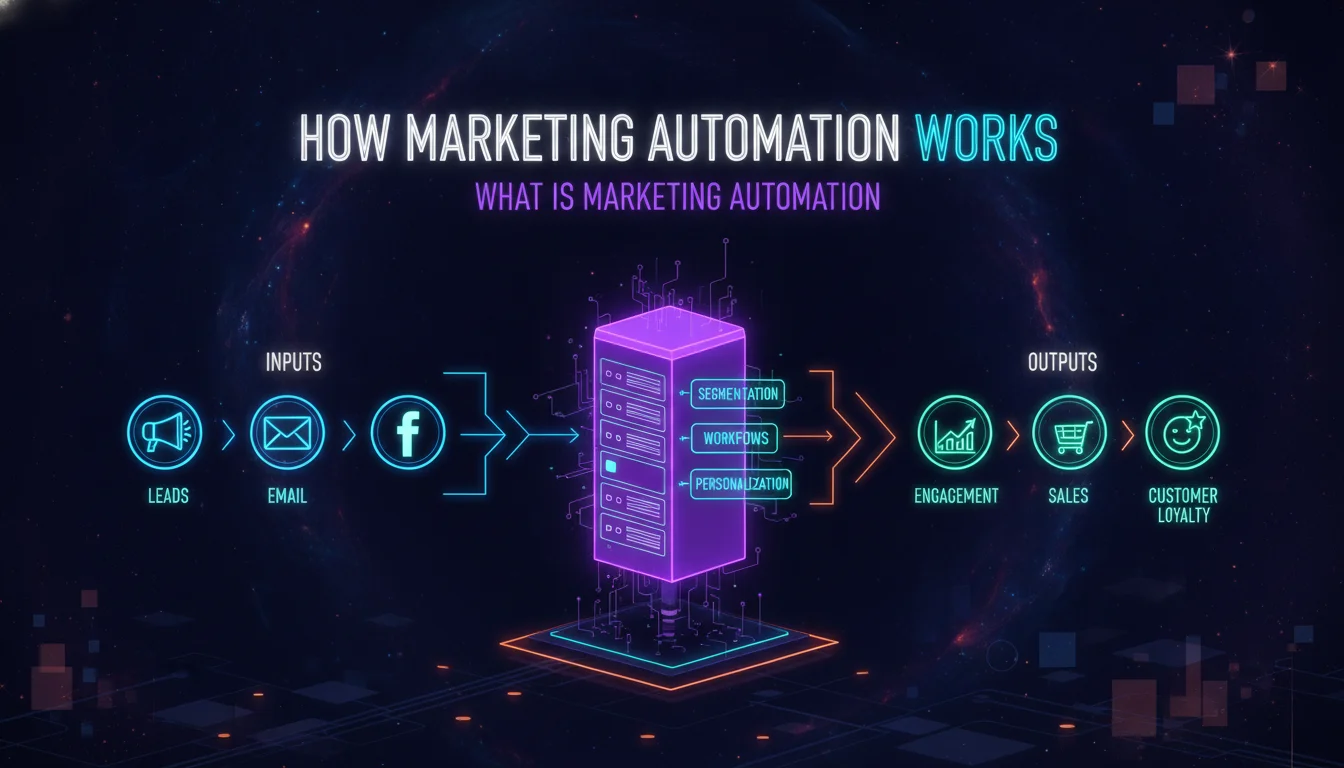
Marketing automation operates on a simple principle: trigger-based workflows. When someone takes an action, such as downloading an ebook, visiting a pricing page, or abandoning a shopping cart, the system recognizes that trigger and starts an automated sequence. HubSpot compares it to setting up dominos that fall in perfect sequence. Each trigger initiates a predefined set of actions, such as sending a welcome email, assigning a lead score, or notifying a sales rep.
Data Collection and Segmentation
According to Salesforce, marketing automation works by collecting customer data through interactions such as emails, website visits, app usage, and social media posts. This data creates a 360-degree view of each customer. The system then streamlines segmentation and targeting to determine the right audiences quickly and at scale. Tailoring messaging to each customer automatically based on their profile is what makes automation feel personal even when it reaches many thousands of people.
Triggers, Actions, and Continuous Optimization
- Trigger event: A contact takes an action, such as a form submission, email click, or page visit.
- Workflow activation: The system recognizes the trigger and starts the predefined sequence.
- Personalized actions: Based on contact data, the system delivers relevant content through email, SMS, or ad retargeting.
- Continuous optimization: Analytics show what is working, allowing refinement over time.
This process is what turns one-off campaigns into always-on demand generation engines that operate while teams sleep.
Key Benefits of Marketing Automation
Personalization at Scale
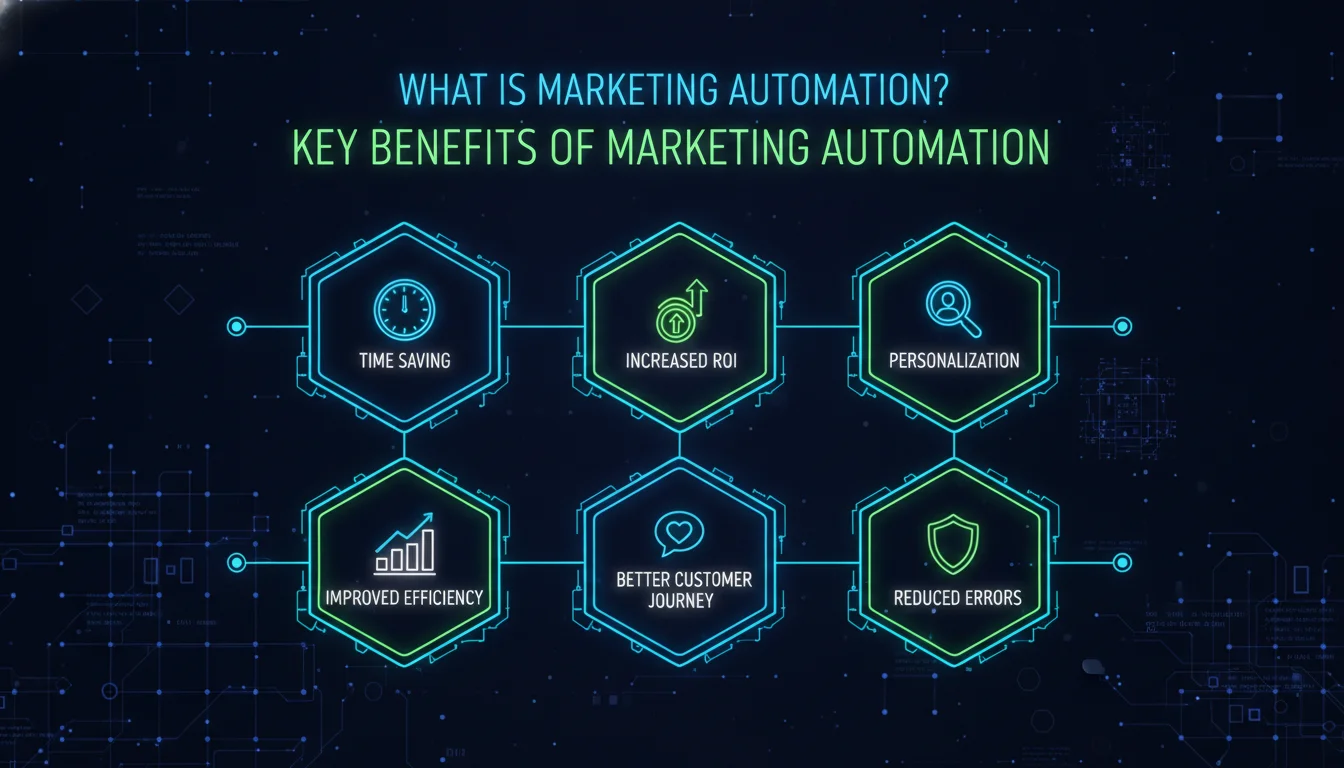
Marketing automation enables businesses to deliver personalized experiences to hundreds or even millions of customers. Salesforce emphasizes that automation can deliver relevant and personalized messaging across email, mobile, social, web experiences, and beyond. This goes far beyond inserting a first name into a subject line. It means dynamic content, product recommendations, and timely offers based on observed behavior. A customer who browsed a specific product category can automatically receive a follow-up with related content, without any manual intervention.
Efficiency and Cost Savings
The time and cost-saving effects of automation increase as an organization grows. IBM notes that automation removes the need to handle manual tasks such as sending emails or SMSs, collecting insights, or adding customer information to databases. According to Oracle, as reported by HubSpot, businesses that implement marketing automation see a 451% increase in qualified leads. That is not a marginal gain. It represents a fundamental shift in how many high-quality prospects enter the sales pipeline.
Better Sales and Marketing Alignment
Automation platforms create better alignment between sales and marketing. Features like lead scoring and automated handoffs ensure that sales teams receive leads that are more qualified, further down the funnel, and closer to a purchase decision. This is a core benefit identified by both Salesforce and HubSpot. Instead of debating which leads are ready, both teams operate from the same behavioral data and scoring logic, reducing friction and shortening sales cycles.
Pros and Cons of Marketing Automation
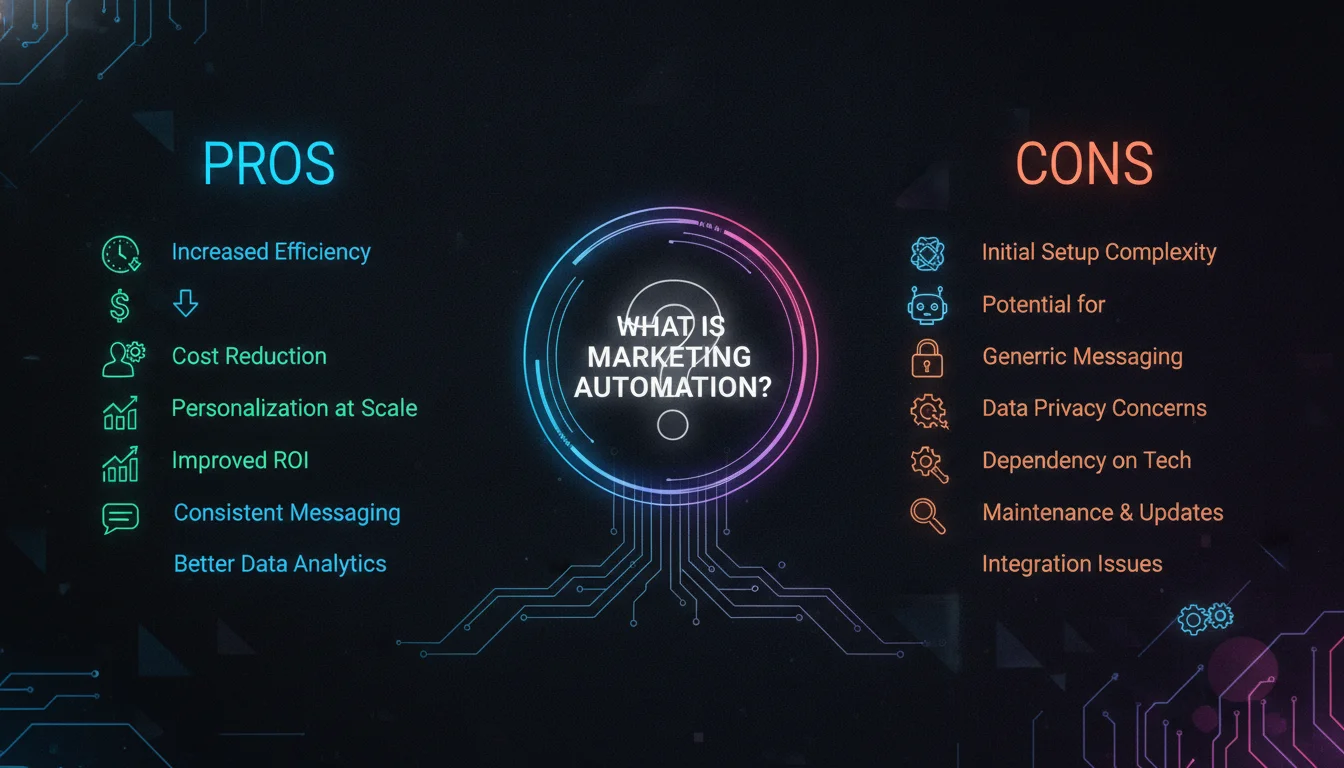
Pros
- Scale without extra headcount: Automated workflows send thousands of personalized messages without requiring additional staff.
- Consistent brand presence: Scheduled content and triggered campaigns keep your brand visible even when your team is focused elsewhere.
- Better lead quality: Lead scoring and behavioral triggers ensure sales receives prospects who are genuinely ready to buy.
- Data-driven optimization: Built-in analytics and A/B testing turn every campaign into a learning opportunity.
- Levels the playing field: Small businesses can appear as professional and responsive as much larger competitors.
Cons
- Requires clean data to function: Automation amplifies mistakes. Dirty contact records produce misdirected, irrelevant messages at scale.
- Setup investment is real: Building effective workflows, writing content sequences, and configuring integrations takes meaningful time upfront.
- Risk of feeling robotic: Poorly designed automation can feel impersonal, damaging the brand relationships it was meant to strengthen.
- Platform complexity: Many tools require significant training, and choosing the wrong platform for your maturity level creates more problems than it solves.
Marketing Automation vs. Manual Marketing
The Productivity Gap
Manual marketing requires sending individual emails, posting social content in real time, and tracking lead interactions by hand. What is marketing automation’s core advantage over this approach? Consistency. Manual outreach breaks down when teams get busy, while automated workflows execute every time a trigger fires, at any hour, without human error.
Comparison Table
| Aspect | Manual Marketing | Marketing Automation | Business Outcome |
|---|---|---|---|
| Email campaigns | Send individual emails one by one | Set up workflows that send thousands of personalized emails | Scale without extra headcount |
| Social media | Post in real time | Schedule weeks of content across multiple platforms | Consistent brand presence |
| Lead tracking | Manually log interactions | Automatically score and prioritize leads based on behavior | Faster sales handoff |
| Send timing | Guess the best time to reach contacts | Use data to optimize send times for each individual | Higher engagement rates |
| Resource allocation | Spend hours on repetitive tasks | Focus on strategy while software handles execution | Improved ROI |
Why the Shift Matters for Small Businesses
Small businesses often see the biggest impact from automation because it levels the playing field, maximizes limited resources, scales with growth, and improves customer experience. HubSpot notes that even businesses with 10 to 50 contacts benefit from basic automation to stay organized and responsive. A solo marketer can appear as professional as a larger competitor by using automated welcome sequences, lead follow-ups, and scheduled posts.
When Manual Processes Still Make Sense
Manual outreach still has a role for high-touch, one-to-one sales conversations and complex strategic planning. The goal of automation is not to replace human judgment but to remove repetitive execution so marketers can focus on creative and strategic work. According to the Digital Marketing Institute, automation is not about taking marketers’ jobs away. It is about re-angling what marketers do.
“Automation is not about taking marketers’ jobs away from them. It’s just about re-angling what marketers do.” – Cathal Melinn, DMI podcast
What Is Marketing Automation? Common Use Cases and Examples
Understanding what is marketing automation in practice means looking at how it appears across channels and customer lifecycle stages. The following examples show where automation creates the most visible impact.
Email Marketing Automation
The most common use of what is marketing automation in action is email. Ascend2 research cited by the Digital Marketing Institute found that email marketing accounts for 63% of automation use cases. Automated email workflows include welcome sequences, abandoned cart reminders, post-purchase follow-ups, and lead nurturing series. These sequences respond to customer behavior, not a marketer manually pressing send.
Social Media Scheduling and Paid Ads
Social media management represents 50% of automation use, and paid ads account for 40%, according to Ascend2. Platforms let marketers schedule weeks of content, monitor engagement, and automatically adjust ad targeting based on performance data. This keeps brands visible without requiring constant manual posting, and it ensures that paid campaigns run consistently even when teams are focused elsewhere.
Lead Nurturing and Sales Handoff
A classic automation scenario is a webinar invitation. An automated system sends an invitation email, collects RSVPs through a form, delivers a nurture sequence, and passes engaged leads to sales when they download a case study. Salesforce describes this exact flow as a way to deliver more qualified leads to sales teams. A lead who attends the webinar and then downloads a case study is automatically passed to sales because their behavior signals higher purchase intent.
Privacy, GDPR, and CCPA: What Marketers Need to Know
Marketing automation does not operate in a legal vacuum. As of 2026, privacy regulations including the General Data Protection Regulation (GDPR) in Europe and the California Consumer Privacy Act (CCPA) in the United States directly shape how automation platforms collect, store, and use customer data. Wikipedia notes that GDPR and CCPA have had significant effects on marketing automation practices, particularly around consent management and data tracking.
Before building any automated workflow, your team needs to confirm that contacts have opted in to receive communications, that tracking tags comply with local regulations, and that your platform supports data deletion requests. Automation amplifies reach, which means a compliance gap can scale just as fast as a successful campaign. Build your permission framework before you build your first workflow.
“Clean data is not just a performance issue. It is a legal one. GDPR and CCPA require that every automated touchpoint rests on a foundation of explicit, documented consent.” – Marketing compliance principle, per Wikipedia’s marketing automation overview
How to Choose a Marketing Automation Platform
The answer to what is marketing automation should shape platform selection. A platform that is too complex for your team or disconnected from your data will create more problems than it solves.
Assess Your Data Maturity
Clean data is the foundation of successful automation. HubSpot advises that accurate contact information is a prerequisite for effective workflows. Without clean data, automation will send the wrong messages to the wrong people, amplifying mistakes instead of saving time. Before buying a platform, audit your contact records, tracking tags, and permission levels.
Consider Integration Capabilities
A good marketing automation platform should integrate with your CRM, customer data platform, and analytics tools. IBM and Wikipedia both note that marketing automation often integrates with CRM and CDP software to unify data and customer context. Microsoft’s Dynamics 365 Customer Insights is one example of a platform designed to deliver personalized, connected customer journeys. Salesforce Marketing Cloud and HubSpot Marketing Hub are widely referenced examples in the same category.
Prioritize Ease of Use and Scalability
Forrester predicts marketing technology expenditure will reach USD 148 billion by the end of 2024, according to IBM. That level of investment means teams have many options, but more features do not always equal more value. The key is choosing a platform that grows with your business, not one that requires an engineering degree to operate, as HubSpot warns. Start with a tool that matches your current skill level, then scale up as your team matures.
What Is Marketing Automation? A Step-by-Step Implementation Guide
Before implementing any platform, it helps to revisit what is marketing automation in the context of your own team. The following process turns a broad definition into an actionable rollout.
- Step 1: Audit your current marketing tasks.
- Step 2: Define clear goals and KPIs.
- Step 3: Choose a platform and start simple.
- Step 4: Build trigger-based workflows.
- Step 5: Test, measure, and optimize.
Step 1: Audit Your Current Marketing Tasks
The first step is to identify which repetitive tasks consume the most time. Common candidates include email sends, social publishing, lead follow-up, and reporting. According to IBM, marketing automation eliminates repetitive tasks such as sending emails or SMSs and adding customer information to databases. A task audit helps you see where automation will have the greatest immediate impact.
Step 2: Define Clear Goals and KPIs
Clear goals tell you what success looks like before you build a single workflow. Ascend2 research shows the top goals for marketers using automation are to optimize strategy (43%), improve data quality (37%), and identify ideal customers or prospects (34%). These goals should guide platform selection and workflow design. If your primary goal is lead quality, focus on lead scoring and nurturing. If it is efficiency, focus on email and social scheduling.
Step 3: Choose a Platform and Start Simple
HubSpot recommends mastering one workflow before building ten. Start with a single automated sequence, such as a welcome email or lead follow-up, and measure performance before expanding. This reduces risk and builds internal confidence. A small successful workflow is more valuable than a dozen half-finished automations that confuse your team and your customers.
Step 4: Build Trigger-Based Workflows
Create workflows around real customer behaviors: form submissions, content downloads, website visits, cart abandonment, and webinar registrations. IBM notes that triggered actions are a key component of any lead management campaign. Each workflow should have a clear trigger, a defined audience, and a measurable outcome, such as a click, a download, or a scheduled sales call.
Step 5: Test, Measure, and Optimize
Marketing automation enables A/B testing across landing pages and emails. An organization can show one headline to some users and a different headline to others, then use click and conversion data to determine which version performed best. Over time, the system can suggest refined improvements. Optimization is not a one-time event. It is a continuous loop that turns campaign data into better performance.
The Role of AI in Marketing Automation
AI, NLP, and Machine Learning
What is marketing automation becoming as AI matures? Something far more adaptive than its original form. IBM notes that companies incorporate AI, natural language processing (NLP), and machine learning (ML) features into automated workflows to drive more value. Today, AI can help with content generation, predictive lead scoring, and real-time personalization. The result is a shift from static rules to dynamic, self-improving systems.
From Rules-Based to Intent-Based Automation
Traditional marketing automation relies on rules: if a visitor downloads X, send Y. AI-enhanced automation can analyze patterns and predict the next best action. According to the Digital Marketing Institute, AI and advanced analytics are now central to driving consistent growth across channels. This means automation is no longer limited to if-then logic. It can learn which content, channel, and timing produce the highest conversion for each segment.
A/B Testing and Optimization
AI also accelerates optimization. IBM highlights A/B testing as a core automation capability: organizations can test different assets in multiple contexts and let the system gather data on clicks or conversions. Over time, the automation platform can suggest improved refinements, moving teams from guesswork to evidence. Every interaction generates data that makes the next interaction smarter.
What Is Marketing Automation in 2026?
The Strategic Shift
As of 2026, what is marketing automation? It is no longer a niche tool for enterprise email teams. It is the central nervous system of modern marketing, connecting CRM, analytics, and content workflows to deliver consistent customer experiences and measurable growth. The question is less about whether to adopt automation and more about how quickly to mature your strategy. The brands that win are those that treat automation as a strategic capability, not a software purchase.
Where to Start
Start with one workflow, clean data, and a clear goal. What is marketing automation’s real promise? It is the space it creates for human creativity. As Cathal Melinn puts it, automation is not about taking marketers’ jobs away. It is about re-angling what they do. The marketers who thrive in 2026 will be those who let machines handle repetition so humans can focus on insight, empathy, and ideas that no algorithm can replicate.
Ready to put this into practice? Explore how Emin Media builds automation-powered brand systems that connect creative strategy with measurable results. You can also read our guides on digital marketing strategy and brand storytelling to see how automation fits into a complete growth framework. Let’s build something bold together. Contact Emin Media for a free brand consultation and find out exactly where automation can move the needle for your business.
Frequently Asked Questions
What is marketing automation in simple terms?
Marketing automation is software that automates repetitive marketing tasks like email campaigns, social media posting, and lead nurturing, allowing businesses to deliver personalized experiences at scale. Think of it as a system that watches what your contacts do and responds with the right message at the right moment, automatically.
What are common marketing automation examples?
Common examples include automated welcome emails, abandoned cart reminders, lead nurturing sequences, social media scheduling, and triggered follow-ups after webinar registrations or content downloads. Each example shares the same structure: a customer action triggers a predefined, personalized response.
Is marketing automation only for large businesses?
No. Small businesses benefit significantly because automation levels the playing field, maximizes limited resources, and scales with growth. HubSpot notes that even businesses with 10 to 50 contacts can use basic automation effectively to stay organized and responsive.
What is the difference between marketing automation and CRM?
Marketing automation tracks top-of-funnel activities and automates campaigns to drive prospects to sales, while CRM manages prospect information and position in the sales cycle. They often integrate to provide a complete customer view, but they serve different stages of the relationship.
How does AI change marketing automation?
AI, natural language processing, and machine learning enable predictive lead scoring, real-time personalization, and faster A/B testing, making automation more adaptive and intent-based rather than purely rule-based. The shift means automation can now learn from every interaction rather than simply executing a fixed set of instructions.
Which marketing automation platforms are most widely used?
Commonly cited platforms include HubSpot Marketing Hub, Salesforce Marketing Cloud, and Microsoft Dynamics 365 Customer Insights. The right choice depends on your data maturity, integration needs, team size, and growth goals.
Enjoyed this article?
Contact Emin Media for a free brand consultation and let's create something amazing together.
Get in TouchRelated Articles
Digital Marketing for Creatives: A Bold Guide
Digital marketing for creatives builds real visibility and sales. Learn strategies for social media, SEO,…
Video SEO for Creative Agencies: The 2026 Playbook
Video SEO for creative agencies is how you turn portfolio reels into search traffic. Get…
Creative Brand Photography: The Complete Guide
Creative brand photography is your visual voice. Learn how to plan shoots, find the right…