Digital Creator Facebook: Complete Guide to Professional
Digital creator Facebook is a status that transforms your personal profile or Page into a professional content hub with monetization tools, audience insights, and public visibility features.
Key Takeaways
- A digital creator Facebook profile uses professional mode to unlock creator tools while maintaining personal connections.
- You can choose between activating professional mode on your existing profile or creating a dedicated Facebook Page.
- Monetization features include Stars, subscriptions, branded content, and revenue-sharing programs.
- Beware of fake accounts using the creator label , verify authenticity through posting history and engagement patterns.
- Facebook never reveals who views your profile; only aggregated view counts are available.
- Professional mode can be disabled instantly, reverting your profile to standard personal settings.
What Is a Digital Creator on Facebook?
Definition and Core Role
A digital creator Facebook profile belongs to someone who has activated professional mode or manages a dedicated Page to produce content for public audiences. This status unlocks analytics, growth tools, and monetization features that standard personal profiles lack. According to Facebook’s Creator Get Started guide, creators can build their presence using either their existing profile or a separate Page. The role demands consistent, original content that educates, entertains, or inspires , not casual posting.
How It Differs from a Personal Profile
Personal profiles connect you with friends and family, while digital creator Facebook accounts serve public audiences. When professional mode is active, anyone can follow you without friend requests, and your public posts appear in followers’ feeds. Your private posts and friend connections remain unchanged, but you gain access to the Professional Dashboard , a control center for insights, content management, and monetization tools.
The Importance of Authentic Content
Facebook prioritizes authenticity across its creator ecosystem. The platform’s resources, including the official “Establish Presence” page, emphasize that successful creators share original stories and actively engage their communities. Content that informs, entertains, or inspires performs better and receives algorithmic promotion. Authenticity also builds trust , essential for monetization and brand partnerships.
How to Become a Digital Creator on Facebook
Turning On Professional Mode
Activating professional mode is the fastest path to digital creator Facebook status. No new account required , simply navigate to your profile settings, find the “Turn on professional mode” option, and toggle it on. This instantly adds a public “Follow” button, grants Professional Dashboard access, and enables monetization tools like Stars and subscriptions once you meet requirements. The entire process takes under a minute and can be reversed anytime.
Creating a Facebook Page Instead
For creators wanting complete separation between personal and professional identities, a Facebook Page offers superior control. Pages support multiple administrators and editors, integrate with Ads Manager for advertising campaigns, and connect to Commerce Manager for direct product sales. Facebook’s creator resources highlight that Pages also provide Page API access for custom integrations , features unavailable with professional mode.
Step-by-Step: Setting Up Your Presence
- Choose your presence type: Compare professional mode versus Pages. New creators typically benefit from professional mode’s simplicity; established creators may need Page-level controls.
- Complete your profile or Page: Add a clear profile picture, compelling cover image, and detailed bio. Complete profiles receive better discoverability.
- Publish your first content: Start with a video, Reel, or thoughtful post. Consistency matters more than perfection. Monitor performance through the Professional Dashboard.
- Explore creator tools: Once live, use the Professional Dashboard to analyze audience insights, content reach, and monetization opportunities.
Professional Mode vs. Facebook Page: Choosing Your Presence
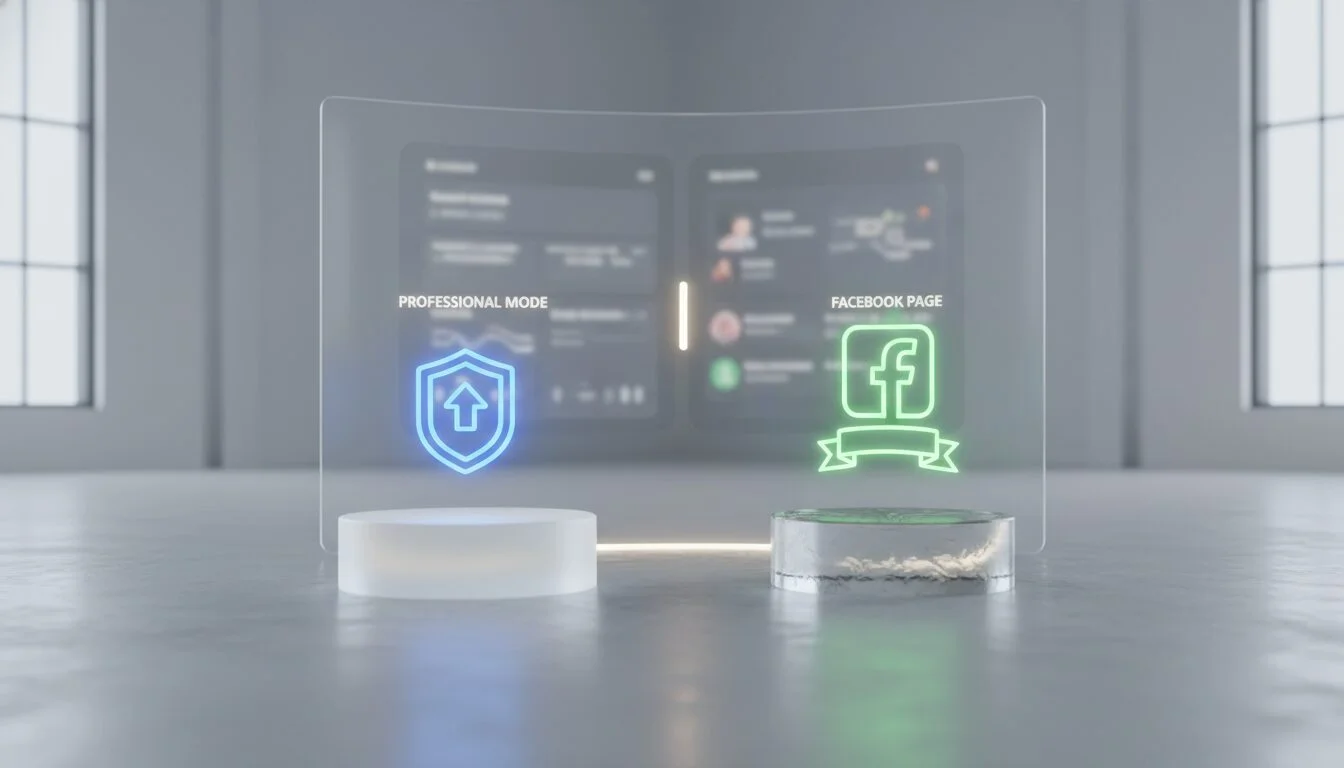
Feature Comparison
| Feature | Professional Mode (Profile) | Facebook Page |
|---|---|---|
| Admin/Moderator Roles | Not available , only you manage the profile | Assign multiple roles: admin, editor, moderator |
| Advanced Ads & Commerce Tools | Limited; no Ads Manager or Commerce Manager | Full access to Ads Manager, Commerce Manager, Page API |
| Ideal For | New creators, individuals building on existing networks | Established creators, brands, teams managing content |
| Monetization Options | Stars, subscriptions, branded content, content monetization | Same plus ad breaks, instant articles, and more |
| Personal vs. Public Separation | Public and personal mixed; private posts stay private | Completely separate from personal profile |
| Ease of Setup | One-click toggle; under a minute | Requires creating new entity and filling details |
Which Option Suits Your Goals?
Individual creators wanting to monetize their passion while maintaining personal connections should choose professional mode for its simplicity and low friction. Brands, teams, or creators needing advertising capabilities and product sales require Pages. Many digital creator Facebook users start with professional mode and graduate to Pages as their audiences grow. Facebook’s creator resources recommend professional mode for newcomers and Pages for those requiring advanced tools.
Monetization Opportunities
Content Monetization Programs
Facebook’s content monetization programs reward creators for high-quality original content through multiple revenue streams. Facebook Content Monetization allows eligible creators to earn revenue shares from ads displayed in their content. While specific thresholds and payout rates vary by region, the program consistently rewards engagement and authenticity. Digital creator Facebook profiles should regularly check the Professional Dashboard for eligibility updates and performance metrics.
Branded Content and Stars
Branded content partnerships let you collaborate with businesses to create promotional posts with required disclosure tags per Facebook’s policies. Facebook Stars enables fan tipping during live streams or on-demand videos, with each Star worth a small monetary amount based on your payout agreement. Both tools work with professional mode profiles and Pages, making them accessible to newer creators.
Subscriptions and Creator Fast Track
Subscriptions allow loyal fans to pay recurring fees for exclusive content, special badges, or behind-the-scenes access. Creator Fast Track accelerates growth for promising creators through early feature access and promotional support. While not every digital creator Facebook user qualifies immediately, meeting basic activity and content quality guidelines increases your chances. These monetization paths are detailed on Facebook’s official creator hub.
Security and Privacy Considerations
Recognizing Fake Digital Creator Accounts
The digital creator label has been exploited by scammers creating fake profiles to impersonate trusted individuals. A 2025 security report warned users to “Beware of ‘Digital Creator’ accounts on Facebook” , the title alone can provide false credibility. Red flags include recently created profiles, stolen or generic profile pictures, suspicious links in posts, and messages requesting money or personal information. Genuine digital creator Facebook accounts typically show long, consistent posting histories and organic engagement patterns.
Protecting Your Account from Scams
Creator account managers should enable two-factor authentication and regularly audit logged-in devices. Avoid clicking suspicious links, even those appearing to come from “Facebook Support.” Report fake accounts using built-in reporting tools. Facebook’s safety guidelines, accessible through the Professional Dashboard, provide step-by-step account security instructions and community protection measures.
Debunking the Profile Views Myth
Can Digital Creators See Who Viewed Their Profile?
No digital creator Facebook user can see individual profile visitors. Despite persistent rumors, Facebook does not reveal specific viewer identities to any account type, including those with professional mode. The “profile views” statistic in the Professional Dashboard shows only aggregate view counts over selected periods, never individual visitor names. This privacy-first design protects all users regardless of account status.
Actual Insights Available
The Professional Dashboard provides anonymized audience insights: geographic distribution, age ranges, gender breakdowns, and top-performing posts that drive profile visits. You can track content reach and discovery methods without compromising visitor privacy. These insights help digital creator Facebook users refine content strategies while respecting audience anonymity.
Turning Off Digital Creator Status
Steps to Disable Professional Mode
If digital creator Facebook status no longer serves your needs, reverting is straightforward:
- Open your profile and navigate to Settings & Privacy.
- Select Settings and locate the Professional dashboard section.
- Find the Turn off professional mode option and confirm your choice.
- Your profile returns to standard personal settings. Public followers are removed, and creator tools become inaccessible.
The process takes only a few taps and can be reversed later if you change your mind.
What Happens When You Turn It Off
Disabling professional mode removes your public follower list while preserving friend connections. Content posted during creator status remains public unless manually changed. Processed monetization earnings will be paid out, but pending revenue from Stars or subscriptions may be forfeited. Facebook’s guidelines recommend reviewing monetization status before disabling professional mode to avoid losing earnings.
Pros and Cons
Pros
- Access to monetization tools like Stars, subscriptions, and branded content partnerships
- Detailed audience analytics and content performance insights
- Public follow button increases discoverability and audience growth
- Professional Dashboard centralizes creator tools and resources
- Can maintain existing personal connections while building public presence
Cons
- Increased exposure to spam, scams, and unwanted messages
- Public posts become visible to anyone, reducing privacy
- Monetization features have eligibility requirements and payout thresholds
- Professional mode mixes personal and creator content on same profile
- Limited advanced features compared to dedicated business tools
Frequently Asked Questions
Is it worth being a digital creator on Facebook?
For many users, yes. Professional mode and Pages unlock monetization tools that can transform hobbies into revenue streams. Even without immediate earnings, the analytics and audience-building features help grow personal brands and professional networks.
Can anyone be a digital creator on Facebook?
Yes. Any personal profile can enable professional mode, and any user can create a Page. There are no minimum follower requirements to activate creator status, though monetization features have separate eligibility criteria based on content quality and engagement.
Digital creator Facebook: can they see who viewed their profile?
No. Facebook does not reveal individual profile viewers to any user type. The “profile views” metric shows only total counts, never specific names or identities, protecting user privacy across the platform.
How do I turn off digital creator on Facebook?
Navigate to Settings > Professional Dashboard > Turn off professional mode. Your profile will revert to standard personal account settings, removing public followers and creator tools while preserving friend connections.
What are the benefits of being a digital creator on Facebook?
Benefits include monetization options (Stars, subscriptions, branded content), detailed audience insights, public follow buttons for growth, and access to creator tools like Reels and Live streaming features for enhanced engagement.
Will I lose my friends if I turn on professional mode?
No. Existing friend connections remain unaffected. Professional mode simply adds public follow options and creator tools while keeping private, friends-only posts restricted to your personal network.
Becoming a digital creator Facebook user requires commitment to consistent, authentic content rather than just account settings. Whether you choose professional mode for simplicity or a Page for advanced capabilities, the platform provides tools to build audiences and generate revenue , provided you stay vigilant about security threats and understand that privacy features like anonymous profile views remain intact. Contact Emin Media for a free brand consultation to explore how creator strategies can amplify your digital presence.
Enjoyed this article?
Contact Emin Media for a free brand consultation and let's create something amazing together.
Get in TouchRelated Articles
Digital Storytelling for Business: 2026 Playbook
Digital storytelling for business explained: frameworks, tools, mistakes to avoid, and a 2026 playbook to…

Startup Marketing: A Practical Growth Guide (2026)
Startup marketing is your roadmap to customers and revenue. Learn proven strategies, budgeting tips, and…
Facebook Digital Creator: The 2026 Complete Guide
Become a facebook digital creator in minutes. Explore monetization tools, pro tips, and step-by-step setup…