Best Video Conference Camera: 2026 Buyer’s Guide
The best video conference camera is a purpose-built imaging device that delivers clear, stable video for remote meetings across platforms like Zoom, Teams, and Google Meet. Your ideal pick depends on room size, budget, and whether you need AI tracking or 360-degree coverage.
Key Takeaways
- 1080p resolution at 30fps remains the practical standard for video conferencing, as Zoom and Teams both cap at 1080p.
- 360-degree cameras like the Meeting Owl 3 automatically highlight active speakers, making them ideal for group huddle rooms.
- AI-powered webcams with auto-framing and speaker tracking reduce manual adjustments during calls.
- External microphones and speaker systems built into conference cameras significantly improve audio clarity over built-in laptop components.
- Budget options under $50, like the Anker PowerConf C200 at $46.49, deliver strong 2K video for solo users without breaking the bank.
- Matching field of view to your room size matters as much as resolution when choosing the best video conference camera.
How to Choose the Best Video Conference Camera
Understand Resolution and Frame Rate
Most video conferencing platforms, including Zoom, Google Meet, and Microsoft Teams, support resolutions up to 1080p. That makes a full-HD camera at 30 frames per second the practical standard for most users. If you frequently use digital zoom to highlight a whiteboard or presenter, a 4K sensor lets you crop without losing sharpness. The Logitech MX Brio delivers 4K at 30fps and can also run 1080p at 60fps for smoother motion, according to Tom’s Hardware.
Match Field of View to Room Size
Field of view defines how much of the scene your camera captures. A 90-degree lens works well for a single desk, keeping you framed without showing too much background clutter. For small meeting rooms where a few people sit around a table, a 120-degree to 180-degree field of view is better. The Jabra Panacast 20 uses a 180-degree panoramic view to seat everyone naturally. At the extreme end, a 360-degree camera like the Meeting Owl 3 places a circular view at the center of the table, with software automatically cropping to active speakers.
Evaluate Audio and AI Features
Video quality matters only if your participants can hear you clearly. Top-tier conference cameras integrate multiple omnidirectional microphones and noise-canceling speakers. The Meeting Owl 3 includes an 8-mic array with a pickup range of 18 feet (5.5 meters), as reported by Digital Camera World. AI-driven features like auto-framing and speaker tracking further reduce meeting friction. The Obsbot Tiny SE uses a mechanical gimbal to pan and tilt, automatically keeping you in frame even when you move around.
Software Integration and Platform Compatibility
The best video conference camera works across every major platform without special drivers. Most USB-based cameras are plug-and-play with Zoom, Microsoft Teams, Google Meet, and Cisco Webex. Some premium options go further: the Logitech MX Brio integrates with Logi Tune software for fine-tuning exposure and framing, while the Obsbot Tiny SE ships with a companion app for customizing tracking zones. If your organization runs Microsoft Teams Rooms, look for cameras certified under the Microsoft Teams Rooms program for guaranteed compatibility and remote management.
Pros and Cons of Dedicated Video Conference Cameras
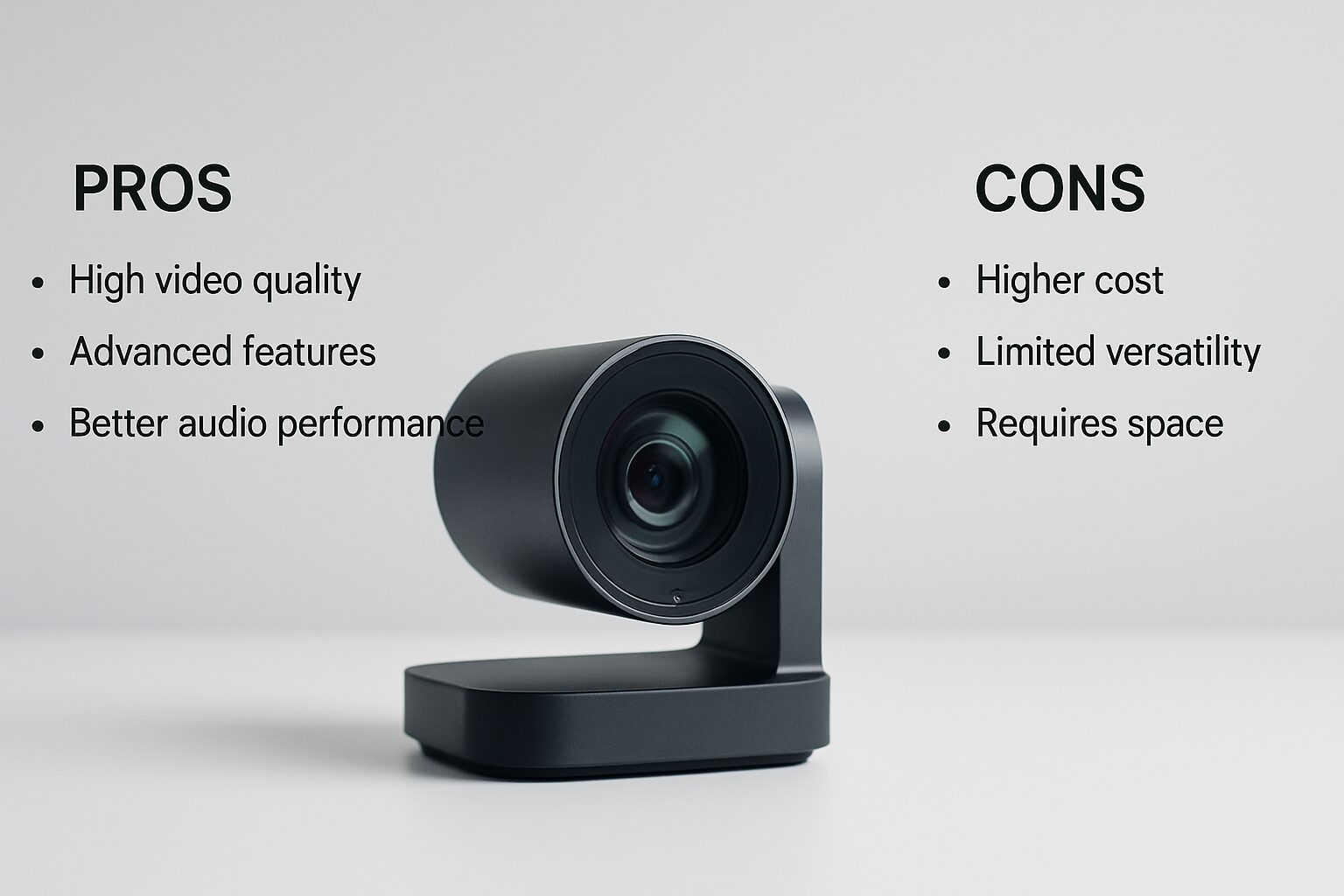
Pros
- Significantly sharper image quality compared to built-in laptop webcams, which typically cap at 720p with poor low-light performance.
- Integrated microphone arrays and noise cancellation reduce the need for separate audio equipment.
- AI features like auto-framing, speaker tracking, and background blur create a more professional on-screen presence.
- Wide-angle and 360-degree options serve group rooms that a single laptop camera simply cannot cover.
- Privacy shutters and hardware mute buttons add a physical security layer that software-only solutions lack.
Cons
- Premium room cameras like the Meeting Owl 3 carry a significant price premium over basic webcams.
- 4K cameras deliver limited benefit on platforms that cap streaming at 1080p, making the extra resolution only useful for digital zoom.
- AI tracking and gimbal systems add mechanical complexity that can fail or require firmware updates.
- Wide-angle lenses can introduce barrel distortion at the edges, which looks unflattering in close-up shots.
The Best Video Conference Camera for Solo Professionals
Logitech Brio 500: The All-Round Performer
Tom’s Hardware named the Brio 500 the best webcam for most people, praising its 1080p/30fps video, 90-degree field of view, and excellent auto-white balance. It handles varied lighting conditions without studio equipment, making it a safe choice for home offices. The built-in privacy shutter adds peace of mind between calls. At its price point, it’s the best video conference camera for professionals who want reliable quality without complexity.
Obsbot Tiny SE: AI-Powered on a Budget
PCMag’s pick for best 1080p webcam, the Obsbot Tiny SE, offers mechanical pan and tilt alongside auto-framing for just $79. Its 1080p picture stays bright and sharp in most indoor settings. The control software lets you customize framing zones, a feature usually reserved for cameras costing two to three times as much. For anyone who presents standing up or moves around during calls, this is the best video conference camera under $100 with genuine AI tracking.
Elgato Facecam Neo: 1080p at 60fps for a Smooth Look
If your video calls demand fluid motion during product demos or live instruction, the Elgato Facecam Neo records at 1080p/60fps. Its 1/2.9-inch CMOS sensor and autofocus lens deliver crisp detail, and the physical privacy shutter adds a manual security layer. At $60, it’s a strong contender for solo users who want fluidity without jumping to 4K.
Best Conference Room Cameras for Small to Medium Teams
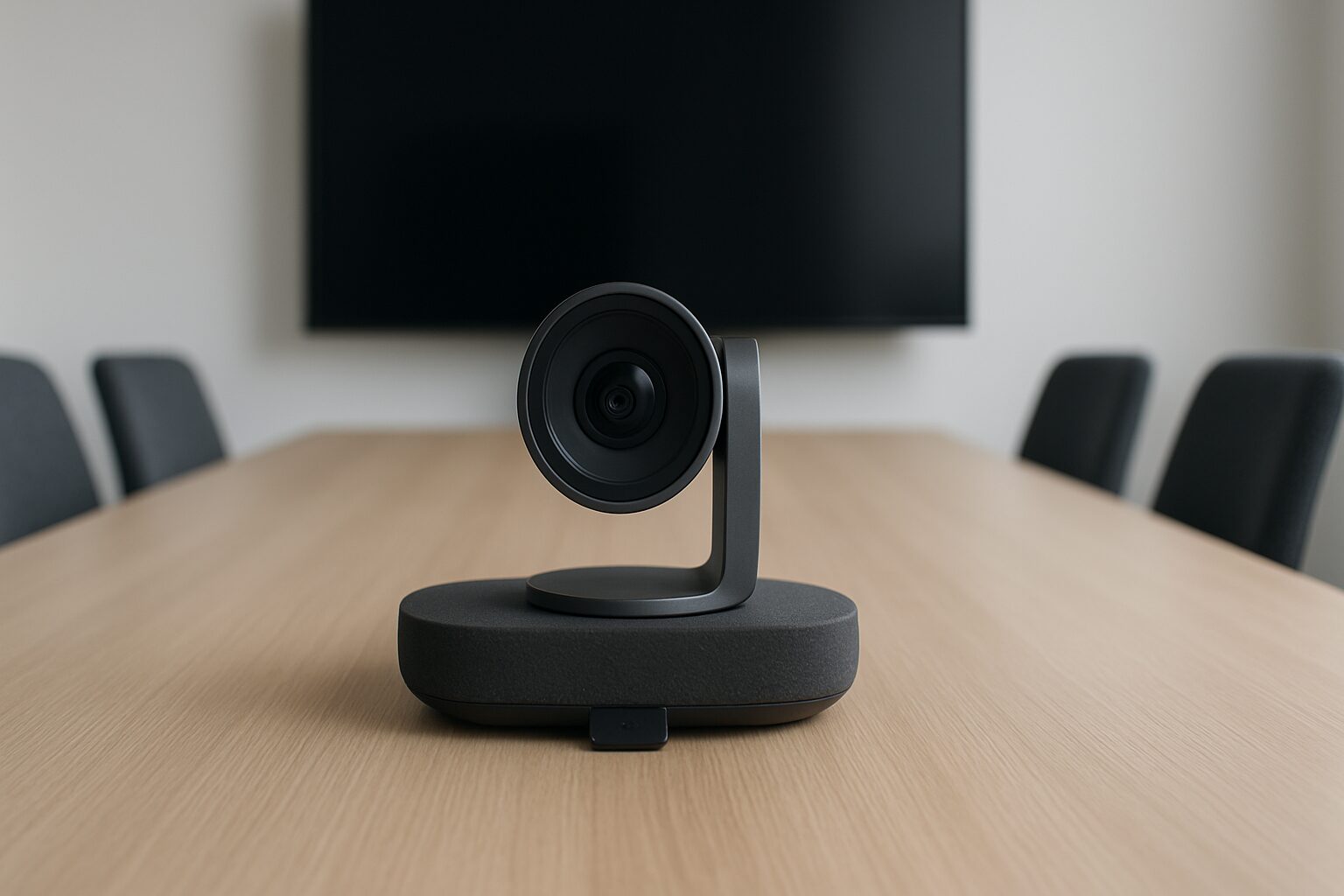
Meeting Owl 3: The 360-Degree Standout
The Meeting Owl 3 won Digital Camera World’s top award for conference room webcams. Its 1080p/30fps 360-degree camera sits in the center of the table and uses eight omnidirectional mics to identify who is speaking, then presents a perspective-corrected view of that person. The intelligent zoom and noise reduction create a near-telepresence experience. The optional Whiteboard Owl accessory digitizes board content in real time. At 11 inches tall, it avoids the unflattering low-angle shot of shorter cameras placed on a table.
Jabra Panacast 20: Premium 180-Degree Coverage
For teams that prefer a wall-mounted or table-edge setup, the Jabra Panacast 20 stitches together three camera sensors to produce a 180-degree field of view. Its premium metal build and intelligent zoom make it a favorite for high-profile boardrooms. The integrated microphone and speaker system deliver clear audio without additional equipment, and the unit is certified for Microsoft Teams and Zoom Rooms.
eMeet Meeting Capsule: Exceptional Speakerphone Integration
Digital Camera World highlighted the eMeet Meeting Capsule for its excellent speaker and microphone combination. The capsule-shaped device places a 1080p wide-angle lens alongside a full-duplex speakerphone, reducing echo and background noise. It collapses the camera, mic, and speaker into a single USB connection, making it one of the cleanest all-in-one options for small conference rooms.
Best Budget Video Conference Cameras Under $100
EMEET C960: Dual Mics on a Shoestring
Amazon’s best-seller data confirms the EMEET C960 as a reliable entry-level choice. It shoots 1080p video with a 90-degree field of view and includes two microphones for voice pickup. At just $25.72, it’s ideal for occasional Zoom calls or as a backup unit. The plug-and-play USB connection works with any modern laptop or desktop without driver installation.
Anker PowerConf C200: 2K Detail with AI Noise Cancelling
The Anker PowerConf C200 bridges the gap between basic 1080p and premium 4K. Its 2K resolution captures more facial detail, while AI-powered noise cancellation filters out keyboard clicks and background chatter. The adjustable field of view lets you widen the frame to include a whiteboard or narrow it for a focused headshot. Priced at $46.49, it offers a strong feature-per-dollar ratio and stands out as the best video conference camera under $50 for home offices.
NexiGo N60: The Best-Selling 1080p Camera
With over 52,550 reviews and a 4.3-star rating on Amazon, the NexiGo N60 proves that affordability doesn’t mean compromise. It delivers standard 1080p video and includes a built-in privacy shutter. For solo users who need a reliable camera for weekly team check-ins, it’s a sensible $21.97 investment.
4K Video Conference Cameras: When More Pixels Pay Off
Logitech MX Brio: Pro-Grade Optics in a Compact Body
The Logitech MX Brio combines a large Sony image sensor with 4K resolution and a 90-degree lens. It switches to 1080p at 60fps for smoother video, and its Show Mode flattens the camera angle for easy document sharing. Tom’s Hardware notes that the MX Brio “is sleek and well-made, with a 4x digital zoom and a built-in privacy shutter.” It lists at $199.99 and frequently drops to $169.99 during promotions.
Insta360 Link 2 Pro: The AI-Powered PTZ Webcam
For professionals who move around during presentations, the Insta360 Link 2 Pro brings a 4K PTZ experience to a desktop form factor. Its 1/1.3-inch sensor and AI tracking make it a favorite on Amazon, where it holds a 4.7-star rating with 231 reviews. The gimbal physically spins to follow you, and directional noise-canceling microphones ensure your voice stays clear even at a distance. At $249.99, it replaces a full-size PTZ camera in a fraction of the space.
Logitech Brio 4K: The Enterprise Standard
The original Brio 4K remains a staple in corporate deployments. Its Windows Hello compatibility, noise-canceling mics, and wide dynamic range perform well in challenging lighting. Amazon data shows it maintains a 4.5-star average from over 1,200 users, and its current price of $144.48 makes it competitive against newer entrants. For IT teams standardizing across dozens of desks, this is the best video conference camera with enterprise-grade security features.
Wireless and Advanced Room Camera Options
Wireless conference cameras are a growing category as of 2026, particularly for rooms where cable management is a challenge. Most wireless options connect via USB dongle or Bluetooth and introduce latency of under 30 milliseconds, which is imperceptible during live calls. Some enterprise-grade systems, like those in the Poly Studio lineup, include built-in Android systems that run Teams or Zoom natively without a connected PC. This means the camera itself becomes the meeting room computer, a setup that reduces hardware costs for dedicated conference spaces. For large auditoriums or multi-camera setups, PTZ cameras with IP connectivity allow remote operators to switch between angles, though these systems typically start at $500 or more and require AV integration expertise.
“The shift toward AI-driven framing and speaker tracking in conference cameras reflects a broader industry move: meetings should feel effortless, not managed. The best hardware disappears into the background.” – Digital Camera World, 2025 Conference Camera Awards
“According to HubSpot’s remote work research, video call quality directly affects perceived professionalism and meeting engagement. Participants in high-quality video environments report stronger connection and clearer communication outcomes.” – HubSpot Research
Conference Camera Comparison Table
| Camera | Resolution & Frame Rate | Field of View | Audio | Typical Price | Best For |
|---|---|---|---|---|---|
| EMEET C960 | 1080p / 30fps | 90° | 2 mics | $25.72 | Budget solo calls |
| Anker PowerConf C200 | 2K / 30fps | Adjustable | AI noise cancelling | $46.49 | Home office all-rounder |
| Obsbot Tiny SE | 1080p / 30fps | 74° | Built-in, noise reduction | $79.00 | AI auto-framing on a budget |
| Elgato Facecam Neo | 1080p / 60fps | Standard | None (external recommended) | $60.00 | Smooth motion for demos |
| Logitech Brio 500 | 1080p / 30fps | 90° | Built-in mic | Varies | Home office all-rounder |
| Logitech MX Brio | 4K / 30fps, 1080p / 60fps | 90° | Built-in mic | $169.99 | High-detail solo presentations |
| Insta360 Link 2 Pro | 4K PTZ | AI-tracked | Directional noise-canceling mics | $249.99 | Mobile presenters, large desks |
| Meeting Owl 3 | 1080p / 30fps | 360° | 8 mics + triple speaker | Premium (varies) | Small/medium meeting rooms |
Setup and Optimization: Getting the Most from Your Camera
Step-by-Step Positioning Guide
Follow these steps to achieve a professional look on every call:
- Place the lens at eye level. Use a monitor mount or tripod to avoid the low-angle laptop look that makes you appear to be staring down at participants.
- Face a window or soft front light. Even, indirect light eliminates shadows and reduces grain in lower-end sensors.
- Select the right field of view. A tight 90-degree setting for one person; wider settings only when several people share the frame.
- Test your audio. Record a short clip in your conferencing app and listen for echo or background hum before your first real call.
- Enable auto-framing if available. AI tracking keeps you centered during note-taking or whiteboard work without manual adjustment.
Lighting and Background Tips
A $25 desk lamp with a diffuser can transform your video quality more than a camera upgrade. Avoid sitting directly beneath ceiling lights, which cast unflattering shadows under your eyes and chin. If your camera’s dynamic range struggles with bright windows behind you, models with auto-exposure and light correction, like the Logitech Brio 500, compensate automatically without extra gear.
Audio Fine-Tuning
For solo cameras, enable noise suppression in your conferencing app alongside the camera’s built-in processing. If you’re using a room system like the Meeting Owl 3, place the device at least 2 feet from walls to reduce early reflections. The eight-mic array already does heavy lifting, but adding soft furnishings, rugs, curtains, and acoustic panels, further improves clarity in hard-surfaced rooms.
Frequently Asked Questions
What is the best video conference camera for a home office?
The Logitech Brio 500 is the best video conference camera for most home offices thanks to its 1080p resolution, 90-degree field of view, and strong auto-white balance that handles typical room lighting without extra equipment. For users who move around during calls, the Obsbot Tiny SE at $79 adds AI tracking at a competitive price.
Is a 4K webcam overkill for video calls?
For everyday meetings on Zoom or Teams, a 4K webcam is often unnecessary because those platforms cap streaming at 1080p. However, a 4K sensor allows high-quality digital zoom and future-proofs your setup as conferencing standards evolve, making it worthwhile for frequent presenters.
Can I use a conference camera with Microsoft Teams?
Yes, virtually all modern conference cameras are USB-based and work as standard webcams, making them compatible with Microsoft Teams, Zoom, Google Meet, and other leading platforms without special drivers. Cameras certified under the Microsoft Teams Rooms program offer additional remote management features for IT administrators.
Do I need a separate microphone with a video conference camera?
It depends on the room size. For solo use, built-in mics on cameras like the Anker PowerConf C200 are sufficient. In a group setting, a camera with an integrated microphone array like the Meeting Owl 3 eliminates the need for a separate audio device, covering up to 18 feet of pickup range.
What is the difference between a webcam and a room conference camera?
A standard webcam is designed for one person at a desk, with a narrow 78-degree to 90-degree lens and a single microphone. A room conference camera offers a wide-angle or 360-degree lens, multiple microphones, and speaker outputs to serve groups around a table, often with AI speaker tracking built in.
How do I improve video quality in low light?
Choose a camera with a large sensor or strong low-light enhancement, such as the Insta360 Link 2 Pro with its 1/1.3-inch sensor. Add a small front-facing light and reduce background clutter to help the auto-exposure system maintain a bright, noise-free image without software tricks.
Choosing the best video conference camera comes down to matching your specific meeting environment to the right combination of resolution, field of view, and audio capability. For solo professionals, the Logitech Brio 500 and Obsbot Tiny SE deliver polished video without complexity. Small to medium teams benefit from the Meeting Owl 3’s 360-degree intelligence, while budget-conscious buyers will find the EMEET C960 and Anker PowerConf C200 more than capable for daily stand-ups. Get the setup right once, and every call feels less like a technical exercise and more like a real conversation.
Ready to build a video presence that actually reflects your brand? Contact Emin Media for a free brand consultation and let’s create something that looks as good as your ideas.
Enjoyed this article?
Contact Emin Media for a free brand consultation and let's create something amazing together.
Get in Touch